Test before you loop
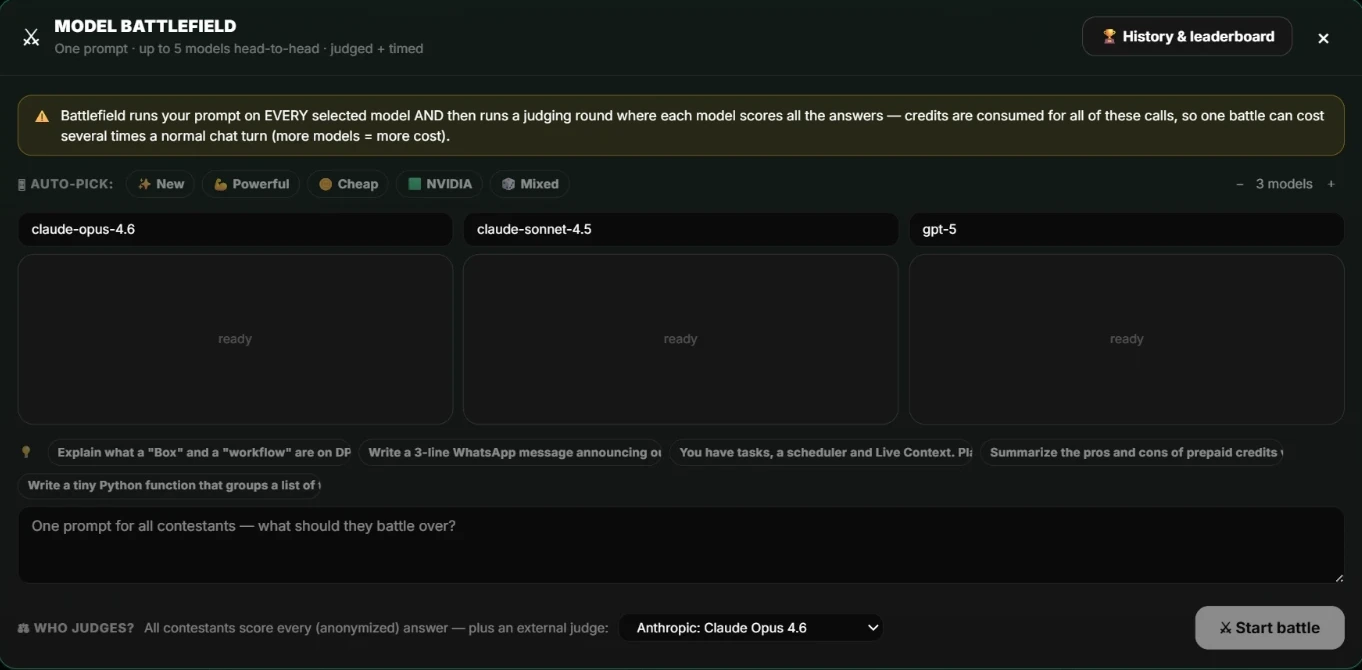
Run the prompt in the Battlefield with several model sets and compare the answers, judged and timed. Pick the model that gives the best result at the best price, and set it on the workflow.
Schedules belong to a Box
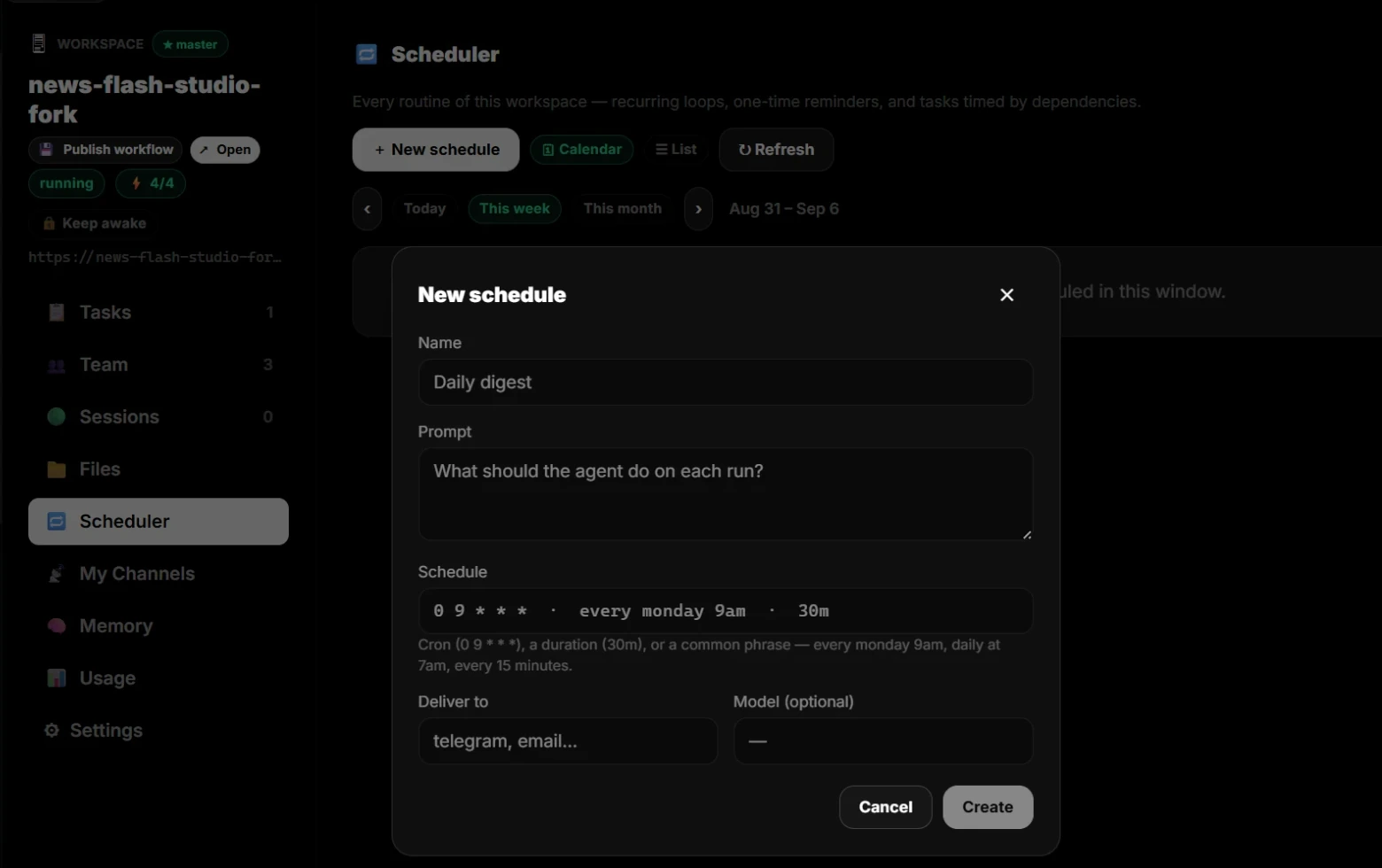
Open the Workspace and choose Scheduler. Every routine of that workspace is here: recurring loops, one-time reminders, and tasks timed by dependencies, in a calendar or a list.
Write the timing in plain words
Give the schedule a name, say what the agent does on each run, and write the timing as a phrase such as every Monday at 9am or daily at 7am. Choose where the result is delivered, Telegram or email for example, and pick a model if you want a specific one.
Watch the first runs
Check the first results, the cost of each run, and the spend against the budget you set on the Box. Adjust the prompt, the model, or the timing, and let it run.
Continue in dPanel.ai
Open the related product area or workflow when you are ready to apply this guide.
Explore scheduled workflows