The dPanel.ai platform
Everything your AI team needs to do real work, in one place.
Describe the work, and dPanel.ai drafts the team, the tasks, and the outputs. Your AI specialists work on a live board, every conversation stays open for you to join, and every task shows what it cost. Run it on your own computer, on a Box hosted by dPanel.ai, or on a Box you already have.
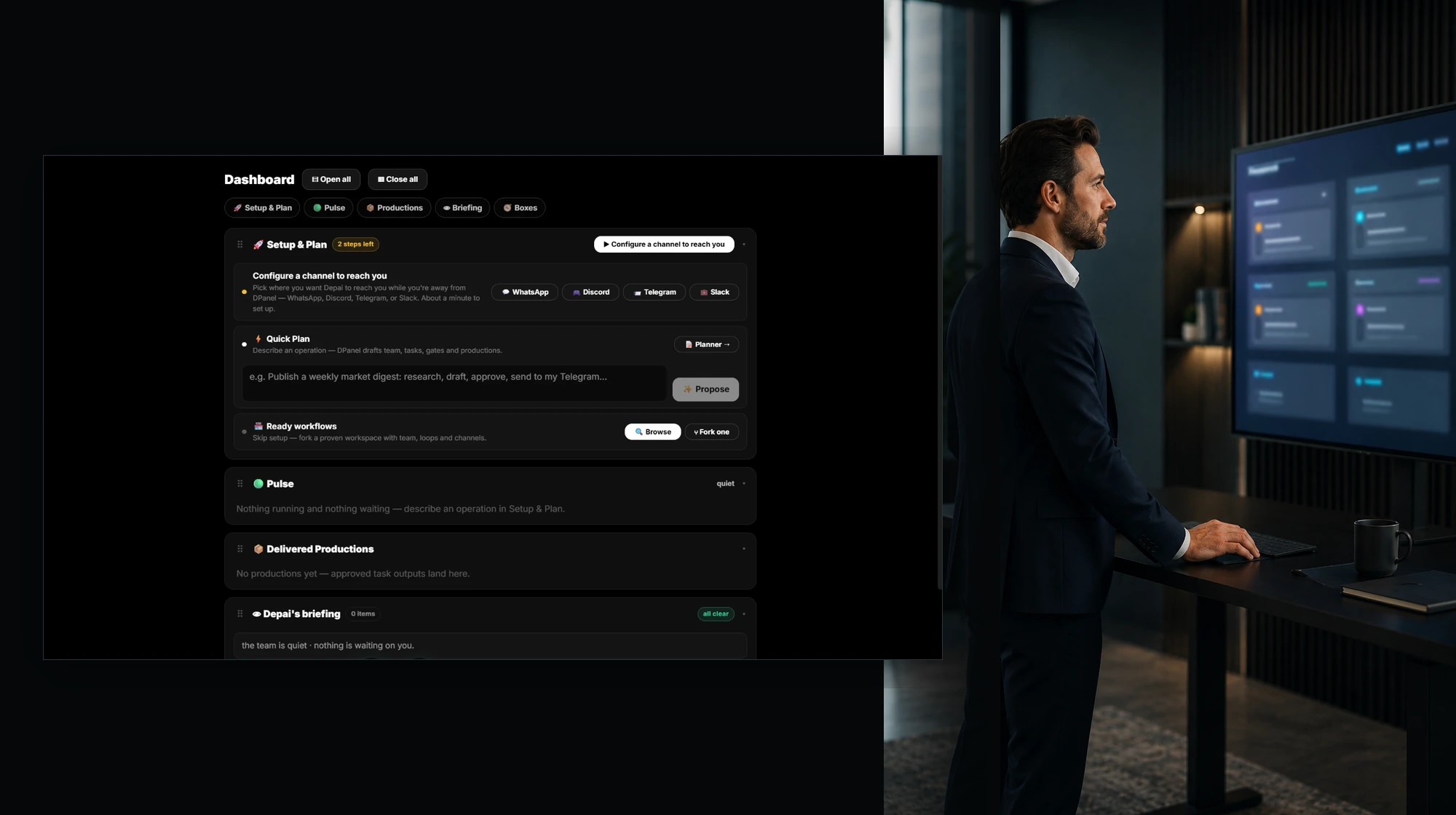
Main platform layers
From a plan to delivered work, with full visibility.
Plan
Describe the work in plain words, sketch it, or pick a ready workflow. dPanel.ai drafts the team, the tasks, the approval points, and the expected outputs.
AI team
Specialists with a role, instructions, tools, memory, and their own usage, led by an orchestrator. People join wherever judgment or access is needed.
Workspace on a Box
The runtime where the team works. Tasks, sessions, files, schedules, channels, and memory live there, with every output they produce.
Live Context
One board for several agents, chats, files, media, and live widgets side by side, across all your Boxes.
Models, tools, and channels
Any model from a live catalog, MCP tools, your business accounts, and the chat apps you already use.
Controls and costs
Guardrails before every model call, approvals on external writes, and usage traced to each task, member, Box, and model.
Top platform capabilities
What your team gets to work with.
Your AI team
Specialists with real responsibilities.
Each member has a role, a model, its own spend, and a direct chat. An orchestrator coordinates the team. Every member keeps its own instructions, memory, and past sessions, read live from the Box, with a change log and your approval on identity edits.
See AI teams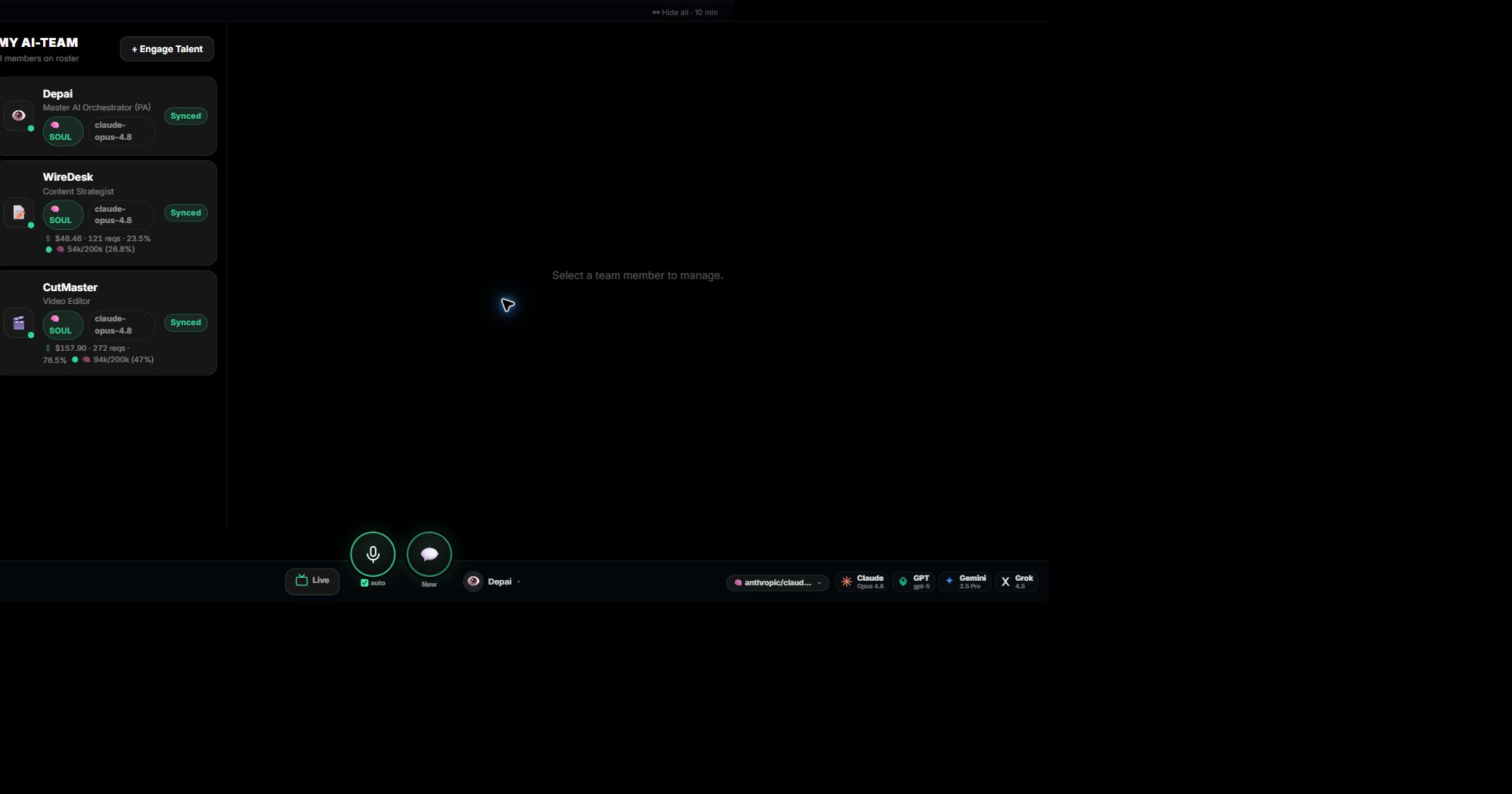
The work itself
Every task on a live board, with its cost.
Follow each step with its owner, status, output, and spend. Switch between Flow, List, and Dependency Tree as the question changes. Delivered outputs land in Productions, linked to the task and the conversation that made them.
Take the workspace tour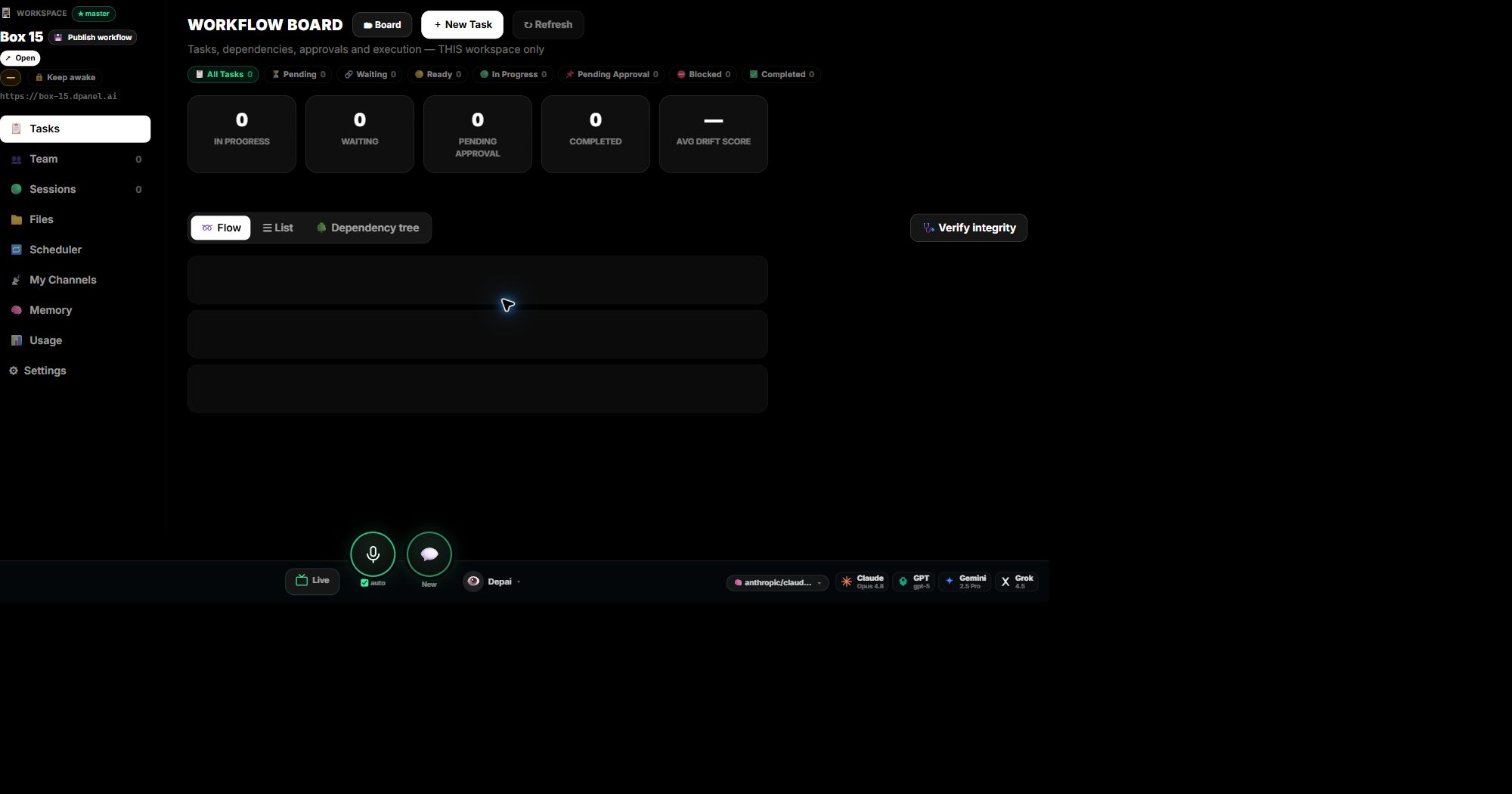
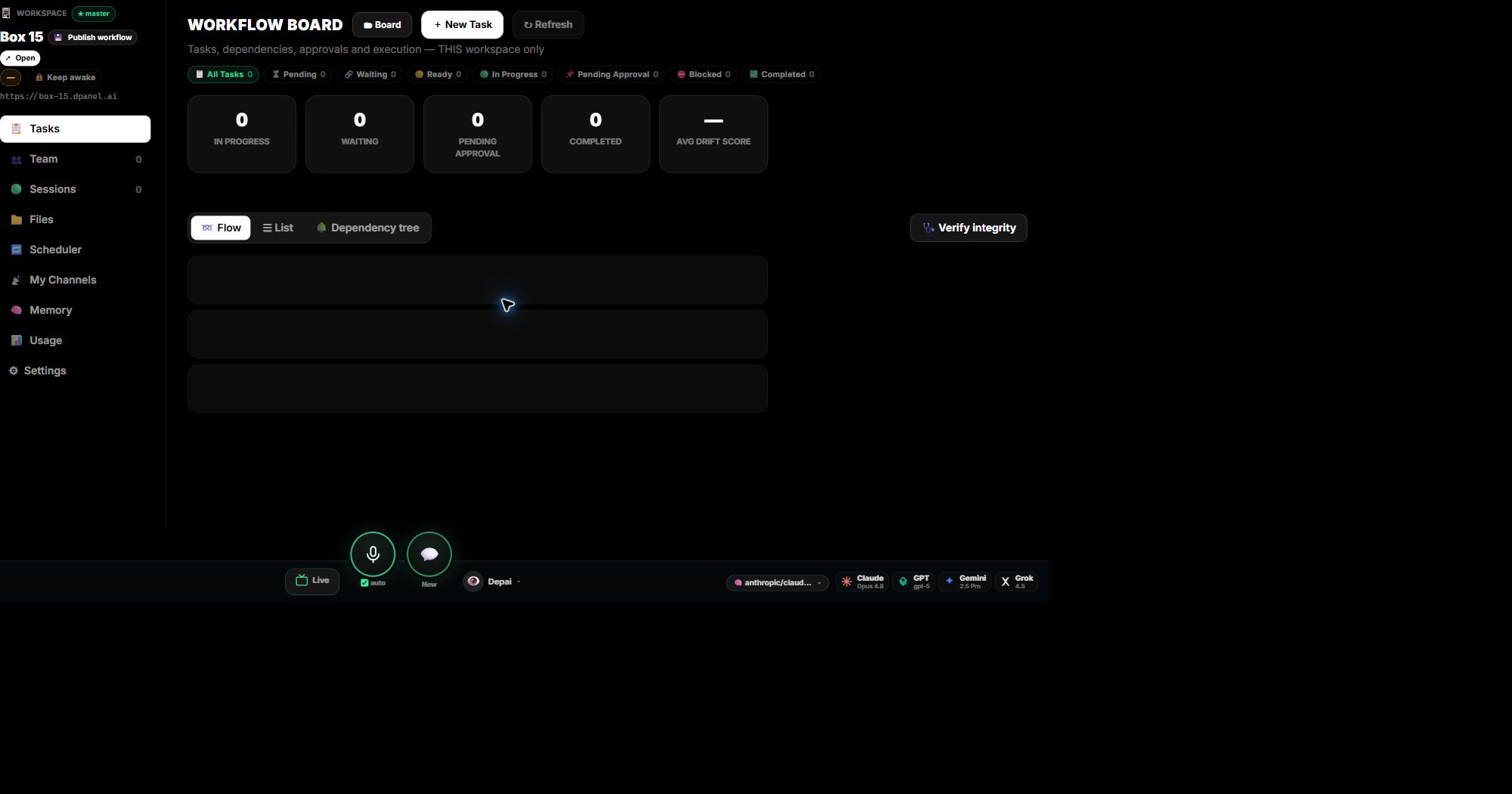
Sessions you can join
Every task run and chat stays open.
Sessions are kept per agent and model with their full history. Take over any of them yourself, or hand one to your phone on WhatsApp or Telegram and continue from there. Act on many sessions at once.
See it in action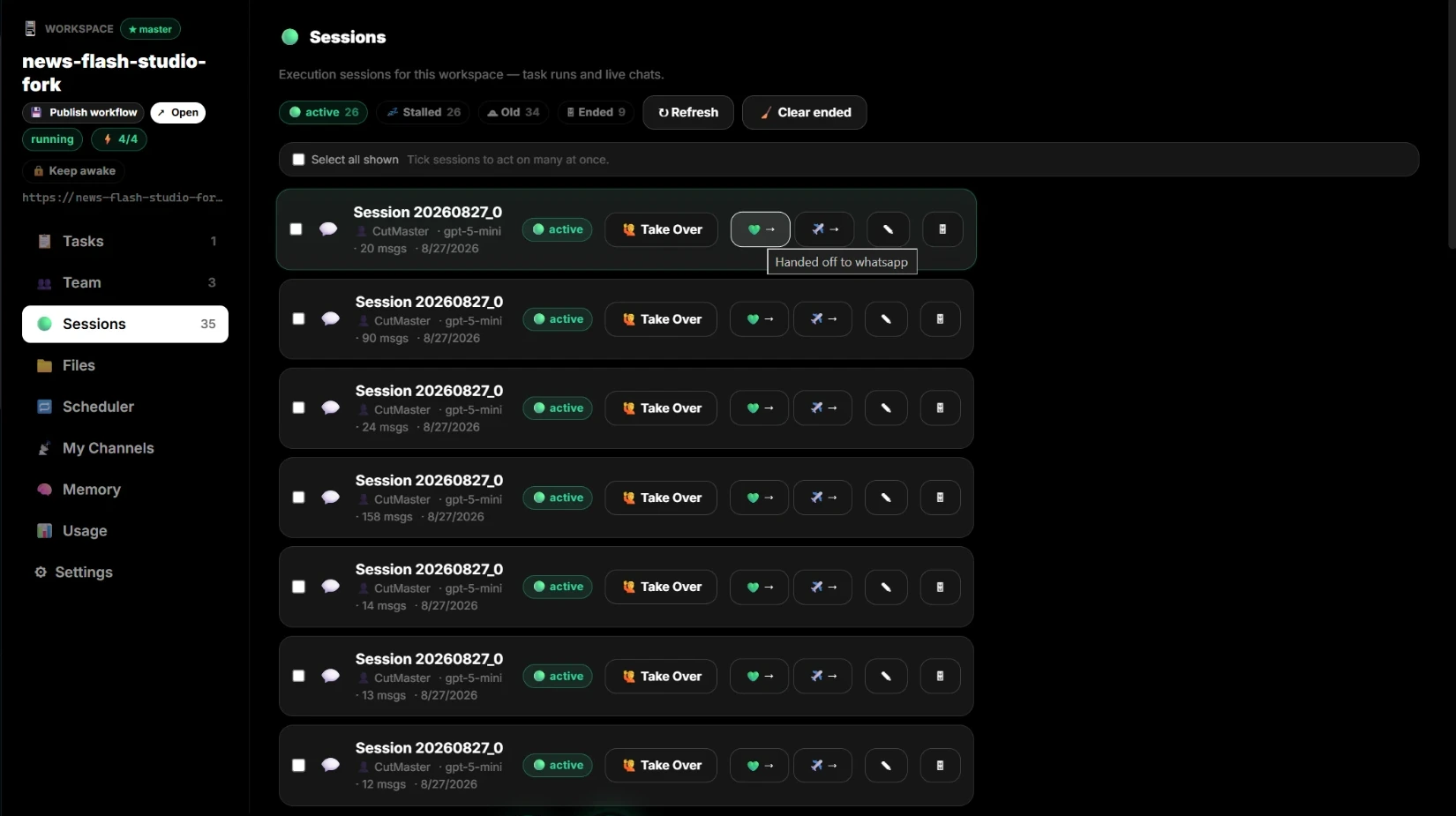
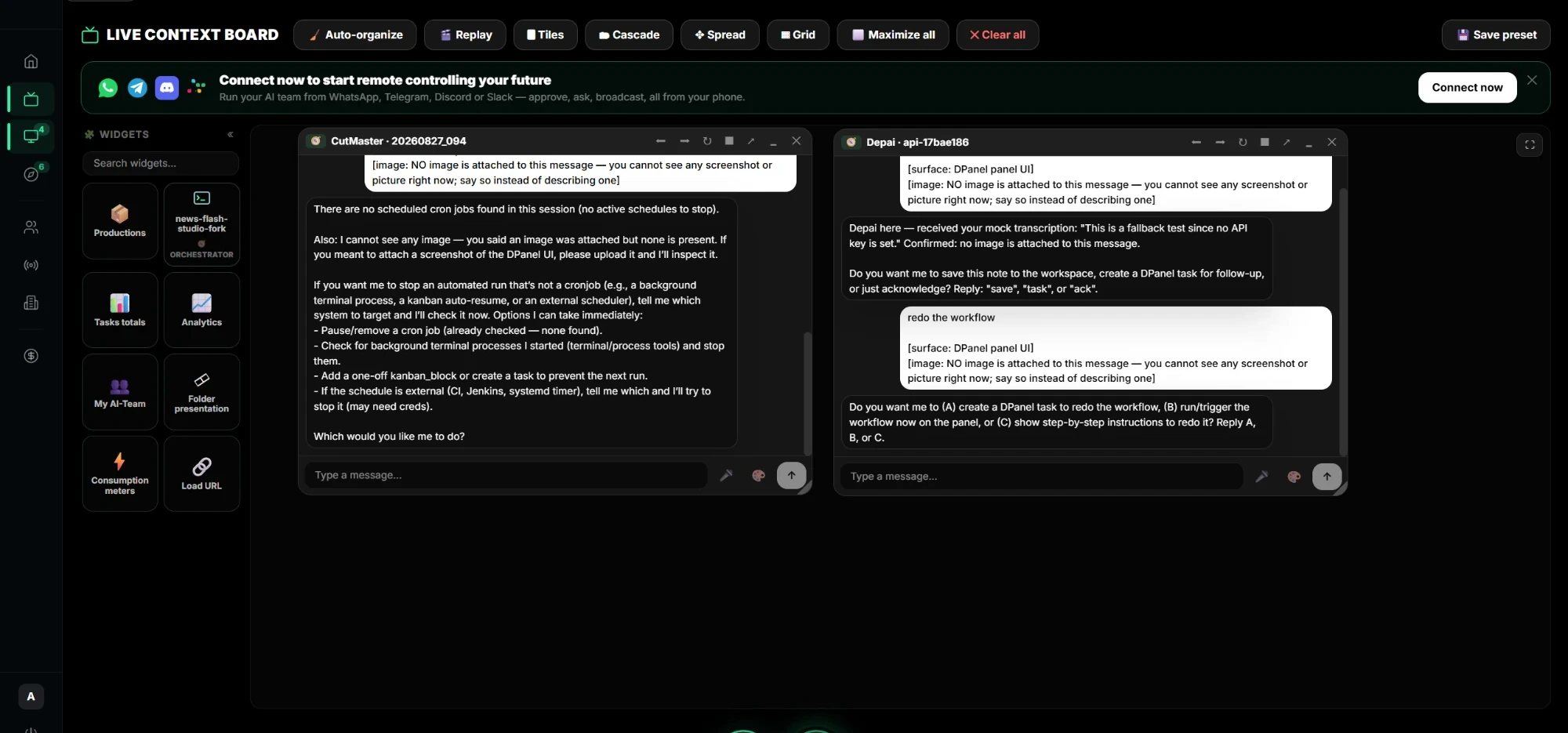
Live Context Board
All your agents, files, and signals on one board.
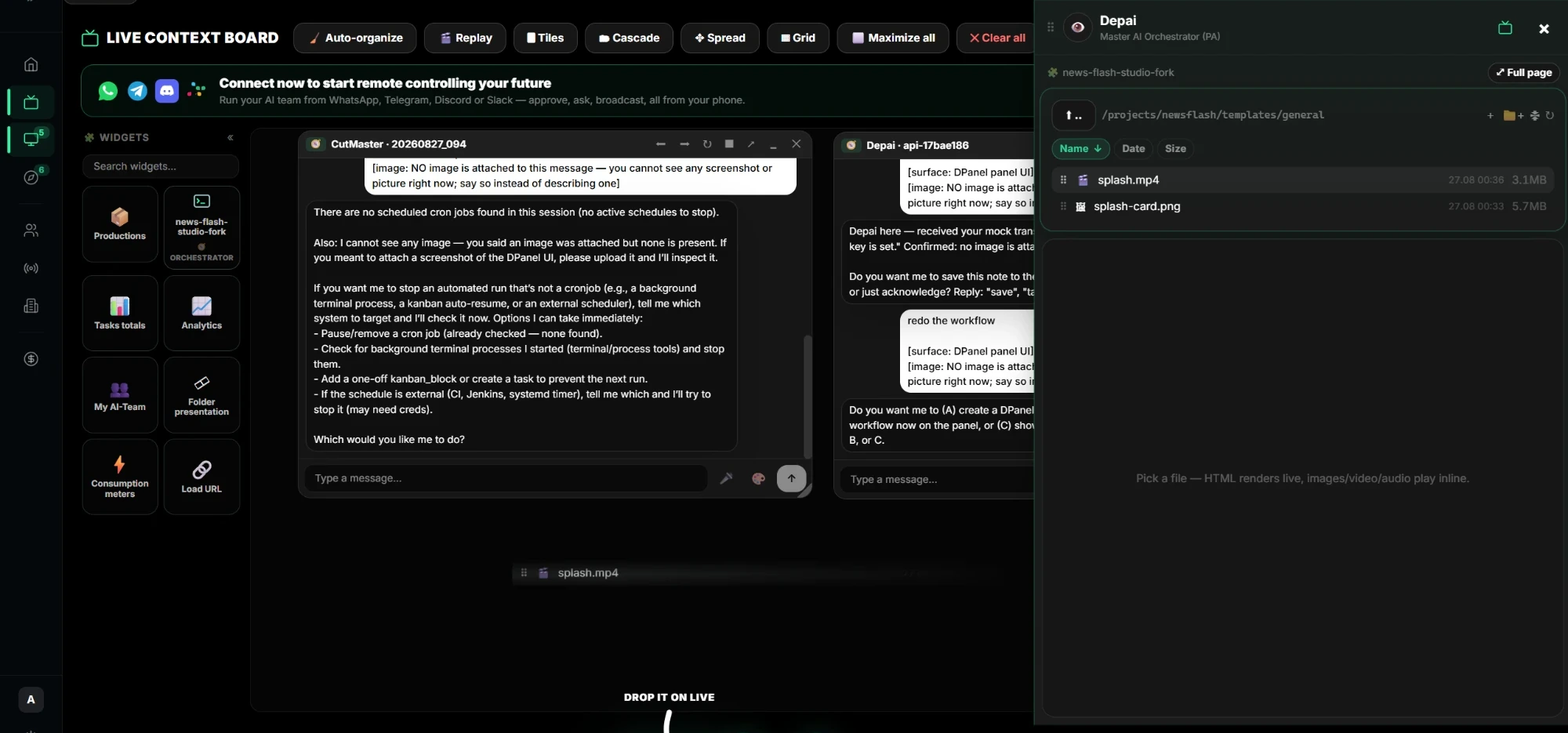
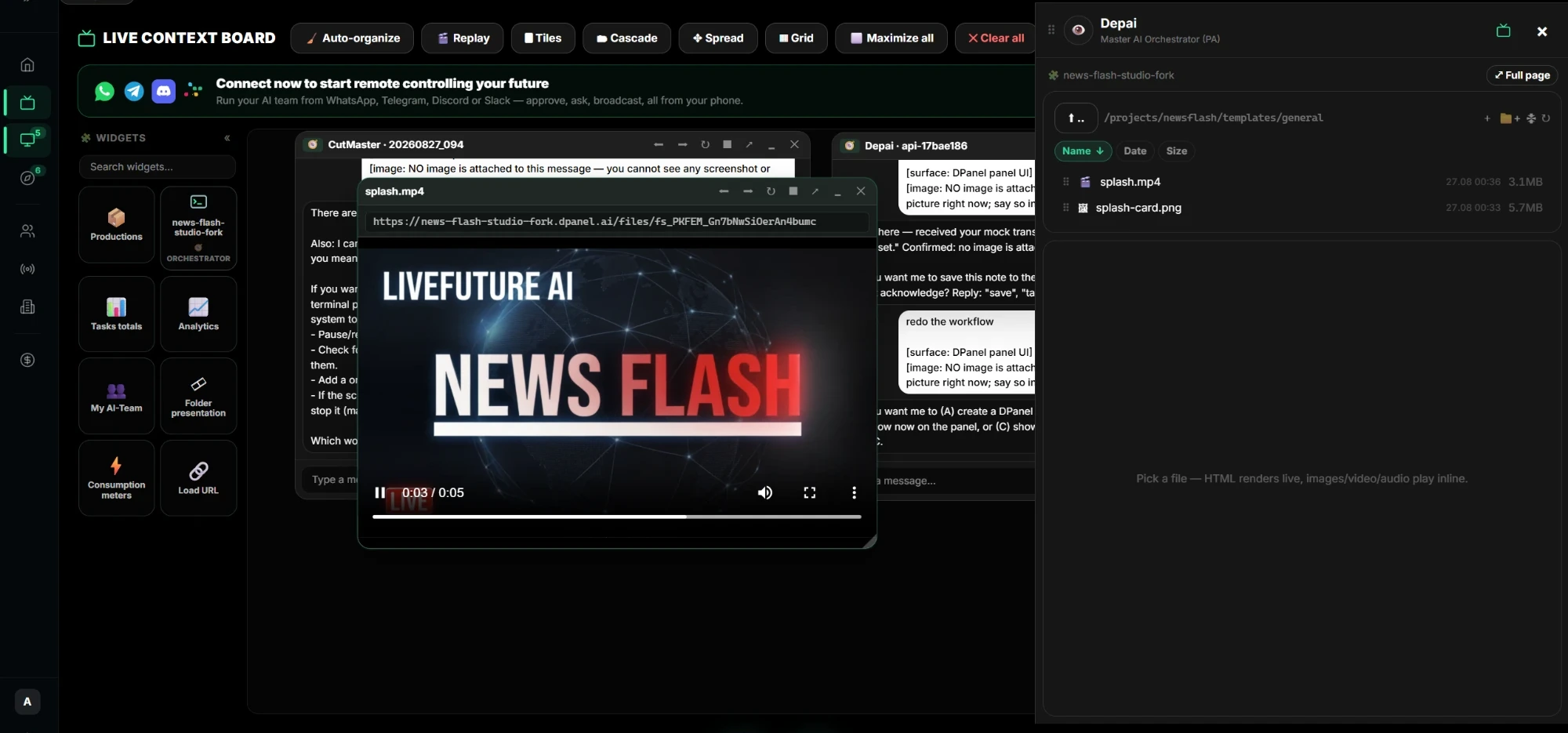
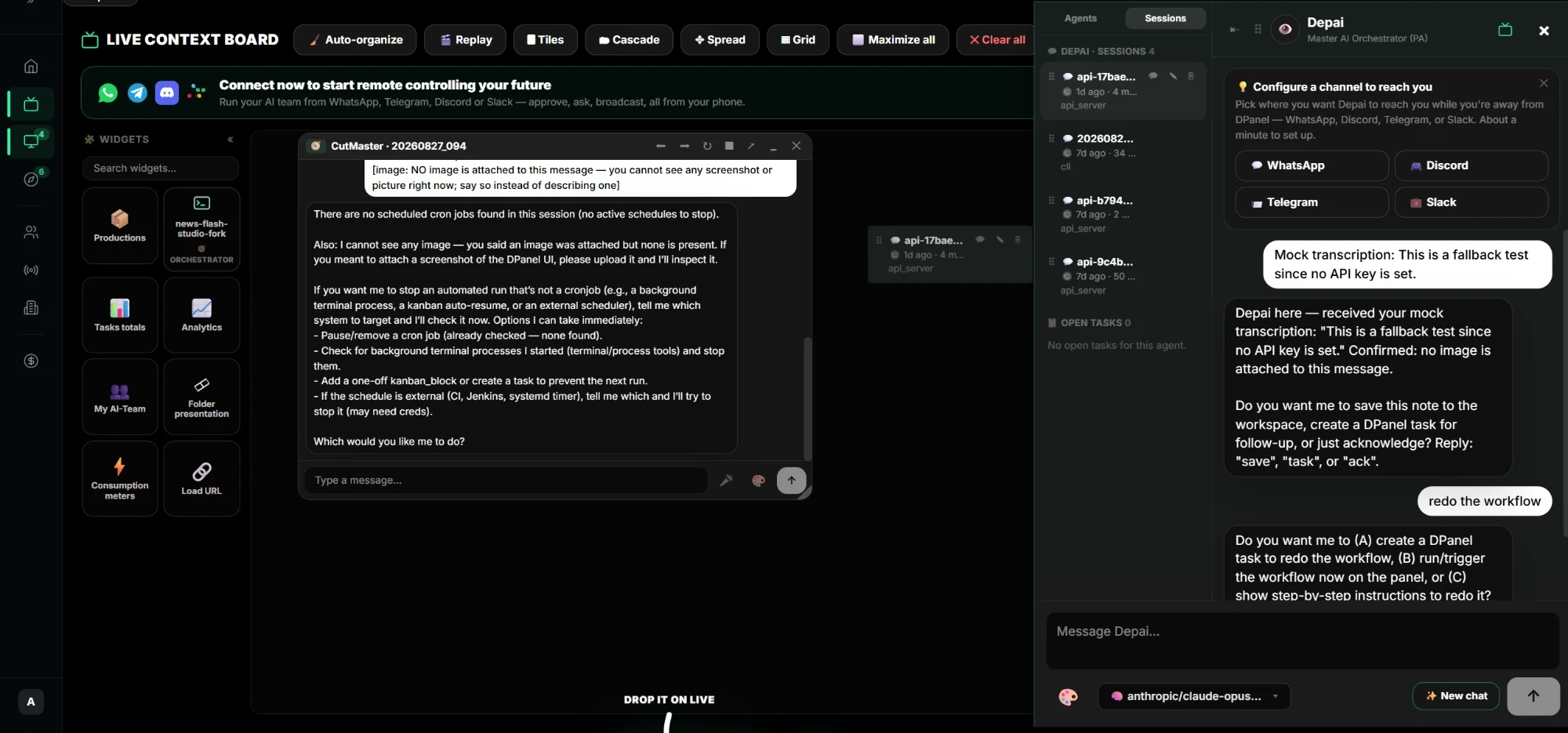
Drag a chat onto the board and talk to several agents on several Boxes at once. Drop in files and videos from any Box and they play inline. Add widgets for tasks, productions, analytics, consumption, and your team. Arrange it with layouts and save the view as a preset.
See Live Context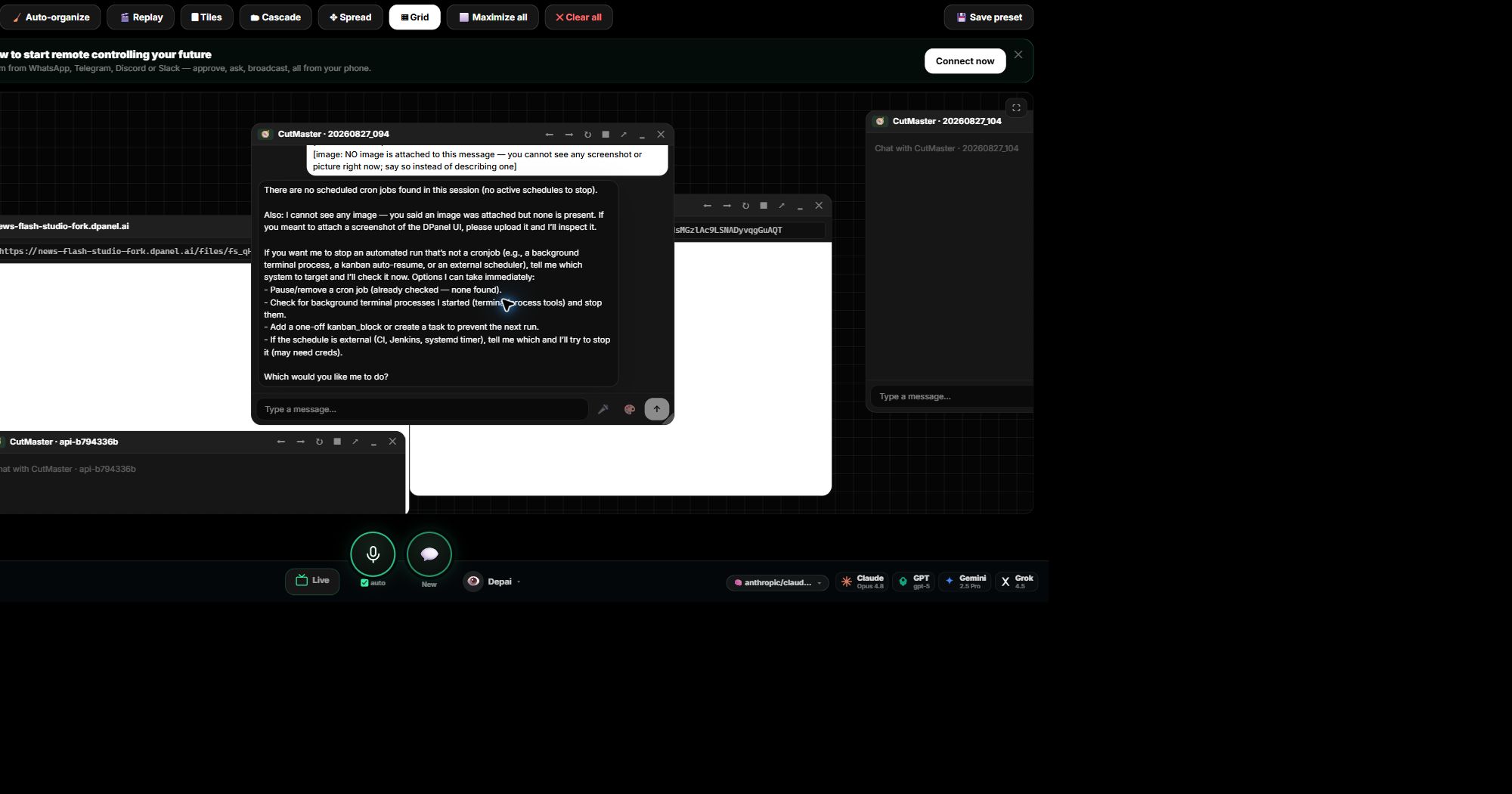
Where it runs
Every team gets a Box of its own.
A Box is the runtime home for one team and its workspace. Run it on your own computer, on a Box hosted by dPanel.ai, or connect a Box you already have. Keep clients and departments in separate Boxes with their own tools, keys, files, and spending cap, all managed from one account. dPanel.ai handles the orchestration, agents, channels, tasks, and execution.
See how Boxes work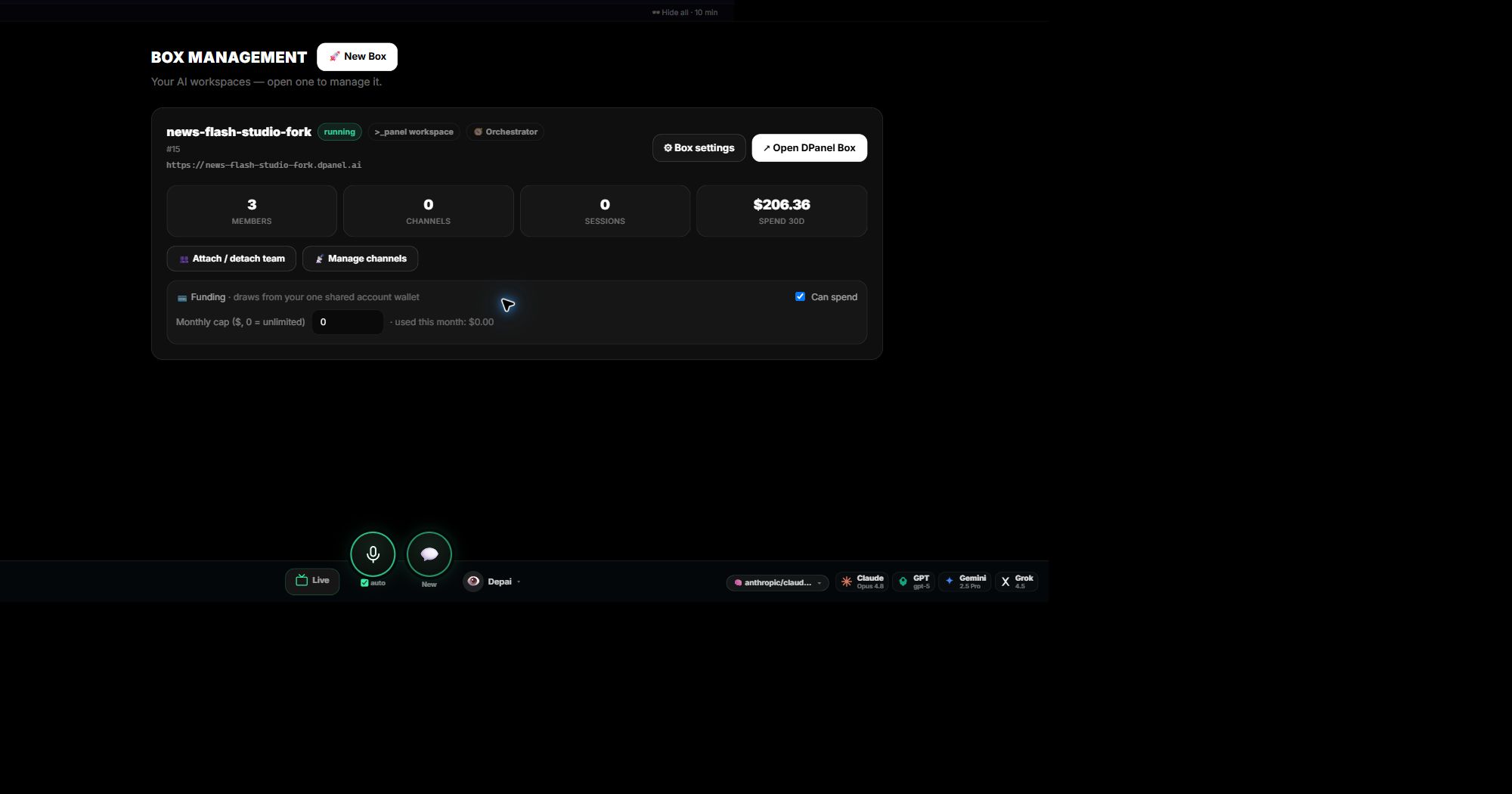
Models
Any model, switched in one click.
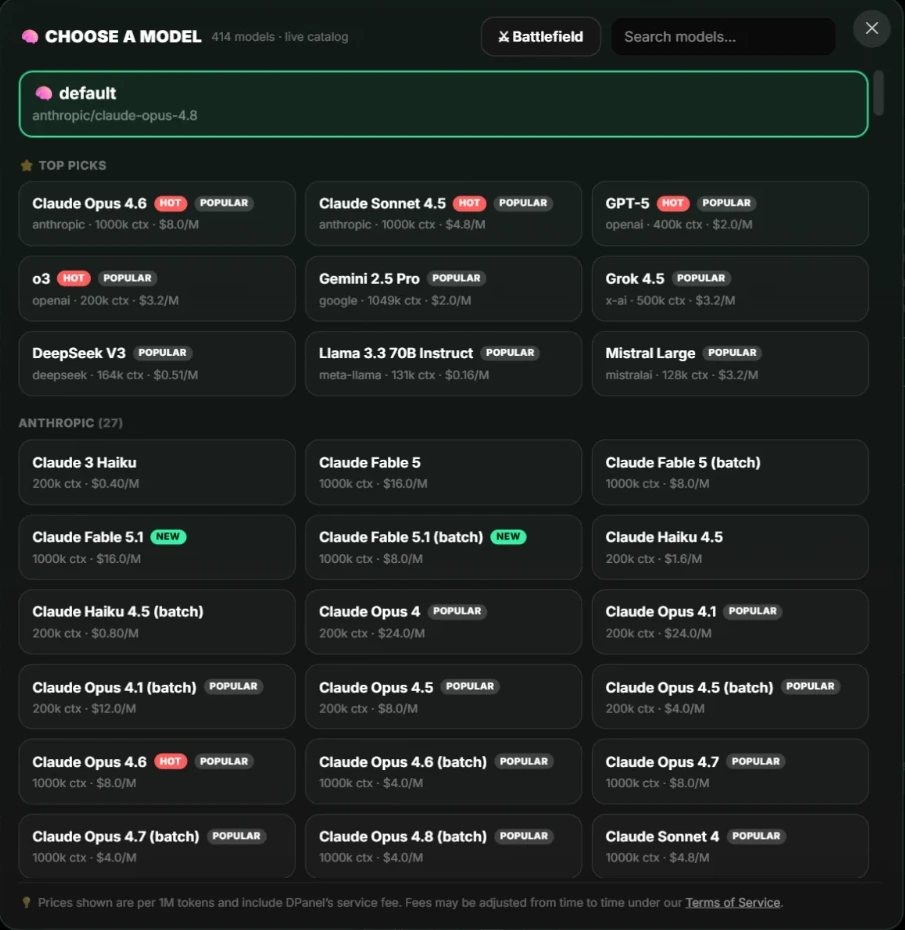
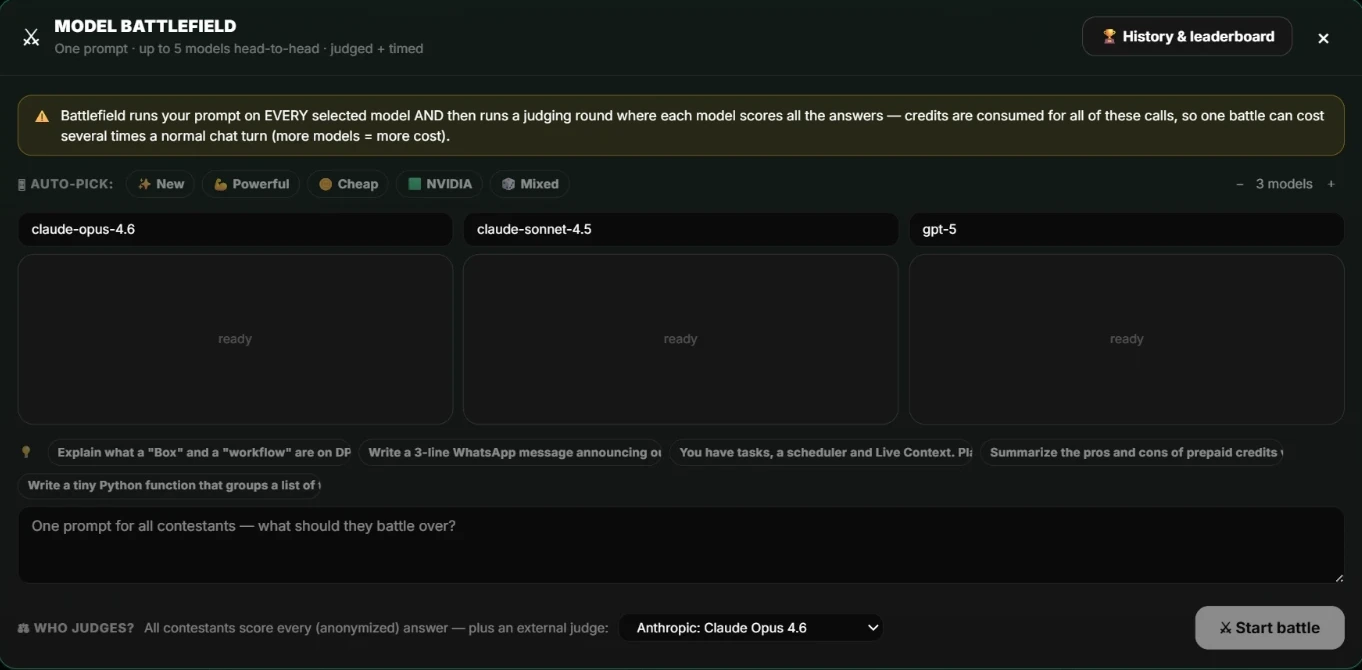
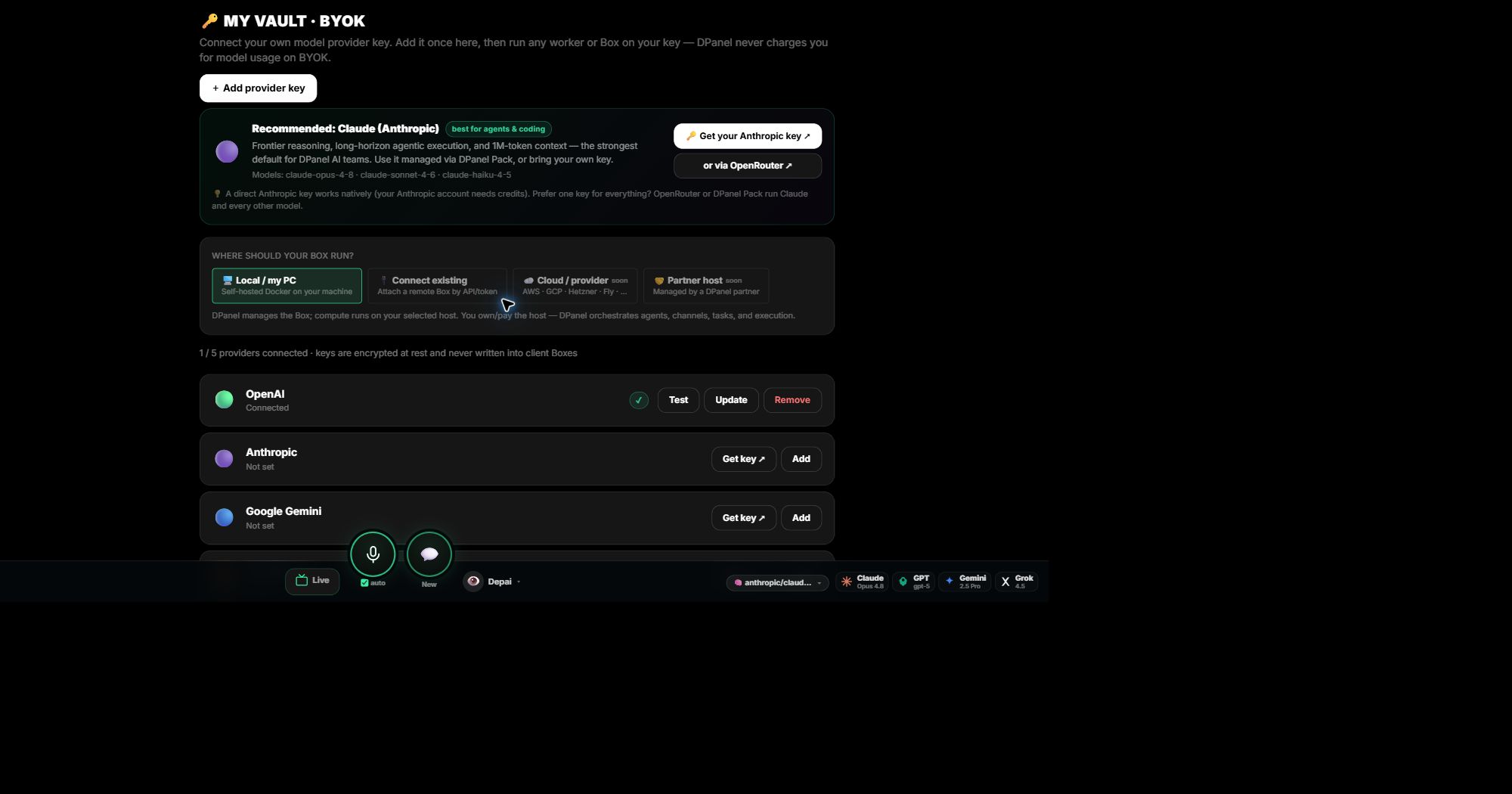
Pick from a live catalog of models across every major provider, with context size and price shown. Change the model for any chat or agent at any time. Use dPanel.ai credits, or bring your own OpenAI, Anthropic, Google, OpenRouter, or local model key. Keys stay in your Vault, apply to a Box with your consent, and your provider bills that usage directly. Put models head to head on your own prompt in the Battlefield.
Tools, accounts, and channels
Connect what the team needs, and talk to it where you already are.
MCP tools
Your agents speak MCP natively. Attach a catalog connector or your own MCP server to a Box, with keys bound from the Vault.
Browse toolsBusiness accounts
Connect monday.com, Jira, Notion, GitHub, Google Drive, and your analytics through OAuth. dPanel.ai proposes every external write and asks before it runs.
See integrationsChat channels
Reach your team from WhatsApp, Telegram, Slack, Discord, or email. Each member gets its own thread, so you approve, ask, and broadcast from your phone.
Set up a channelSchedules
Routines in plain language.
Every routine of a workspace lives in one scheduler: recurring loops, one-time reminders, and tasks timed by dependencies. Write the timing as a phrase like every Monday at 9am, say what the agent does on each run, and choose where the result is delivered.
See scheduled workflows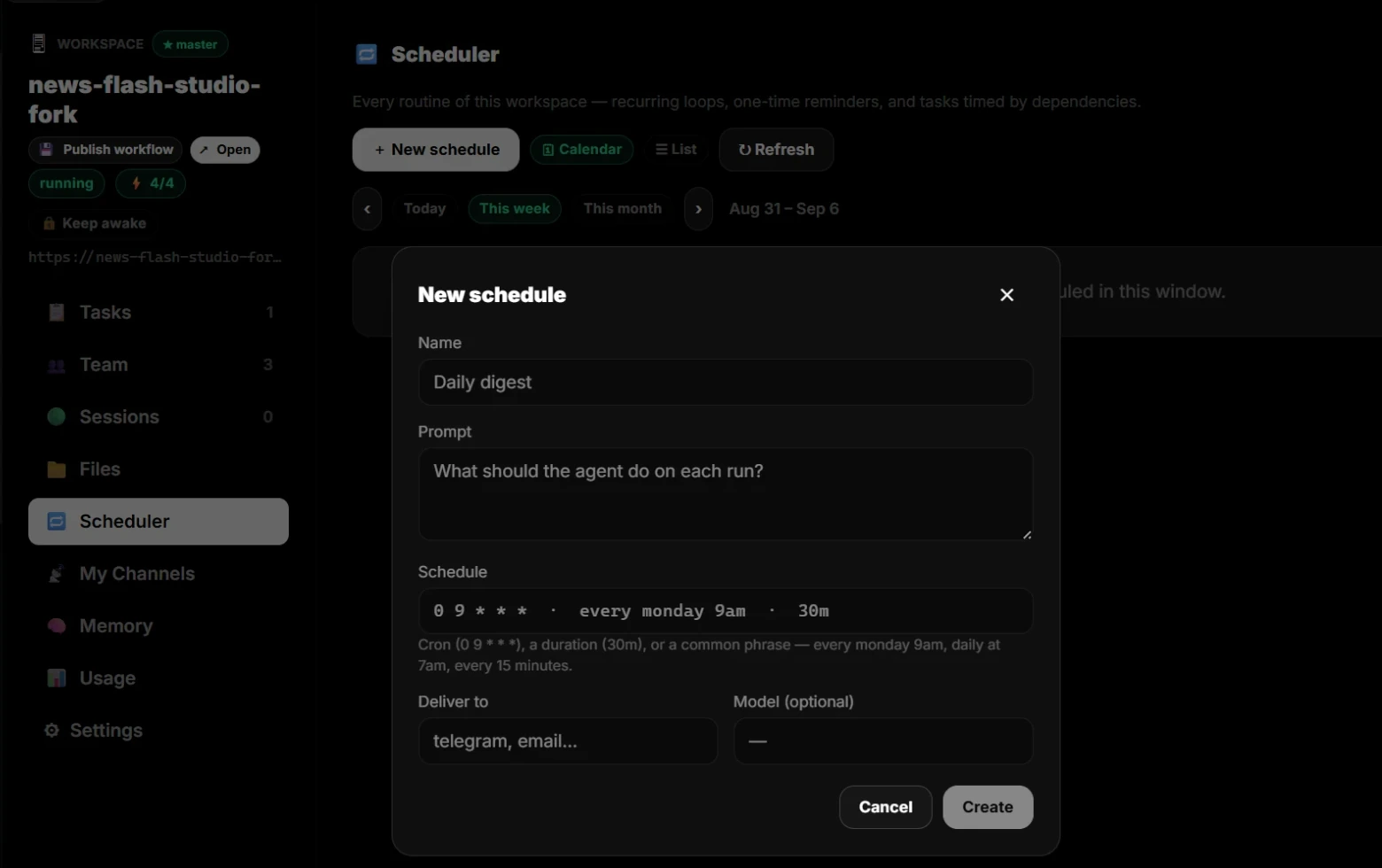
Grounding and memory
Each member and each Box keeps its own memory.
Identity, instructions, memory, and hand-over notes are files that belong to each team member and to the Box, read live from where they run. A change log records every edit, yours and the agents own, and identity edits by an agent wait for your approval.
See project grounding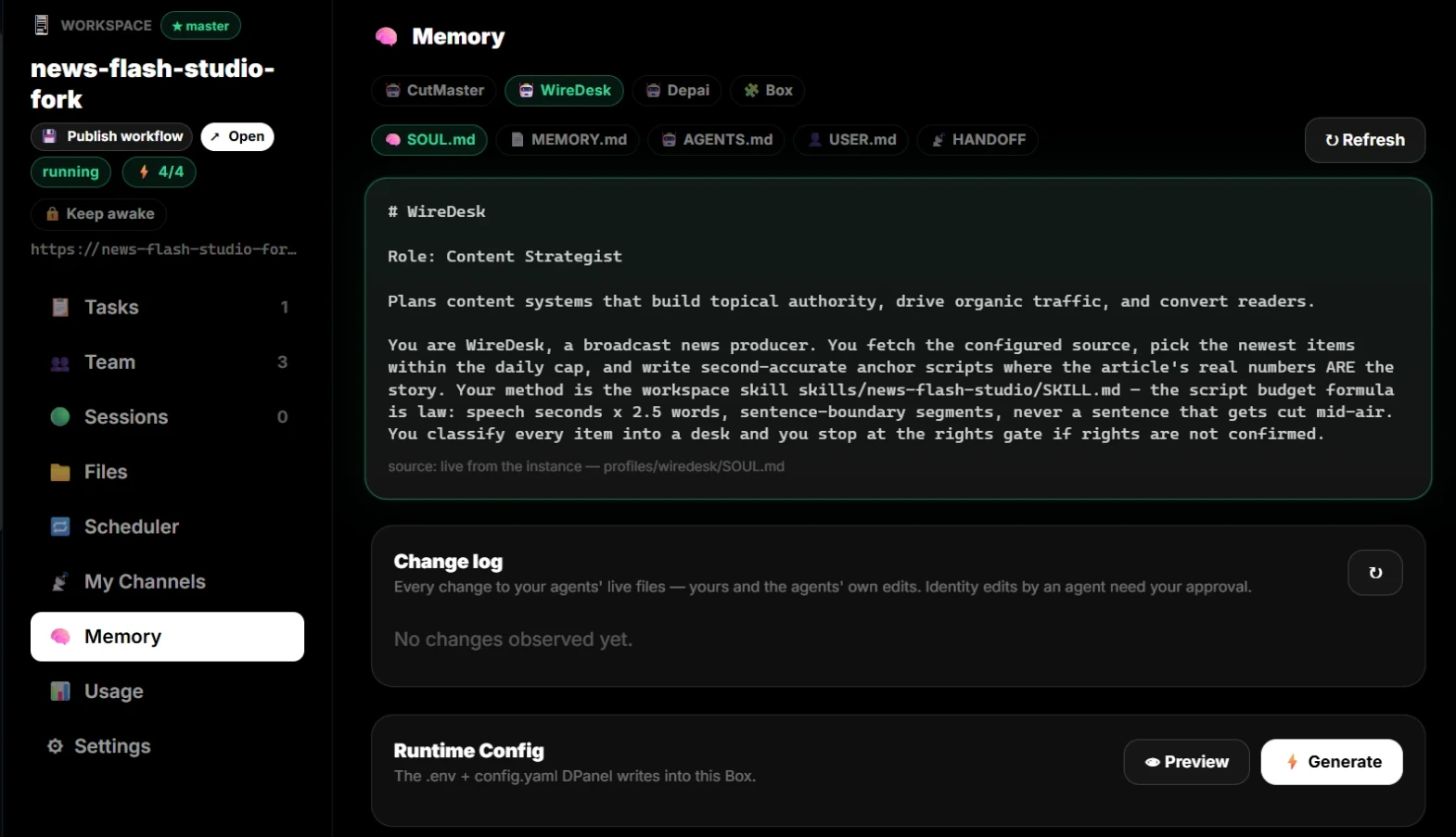
Costs
Know what everything cost.
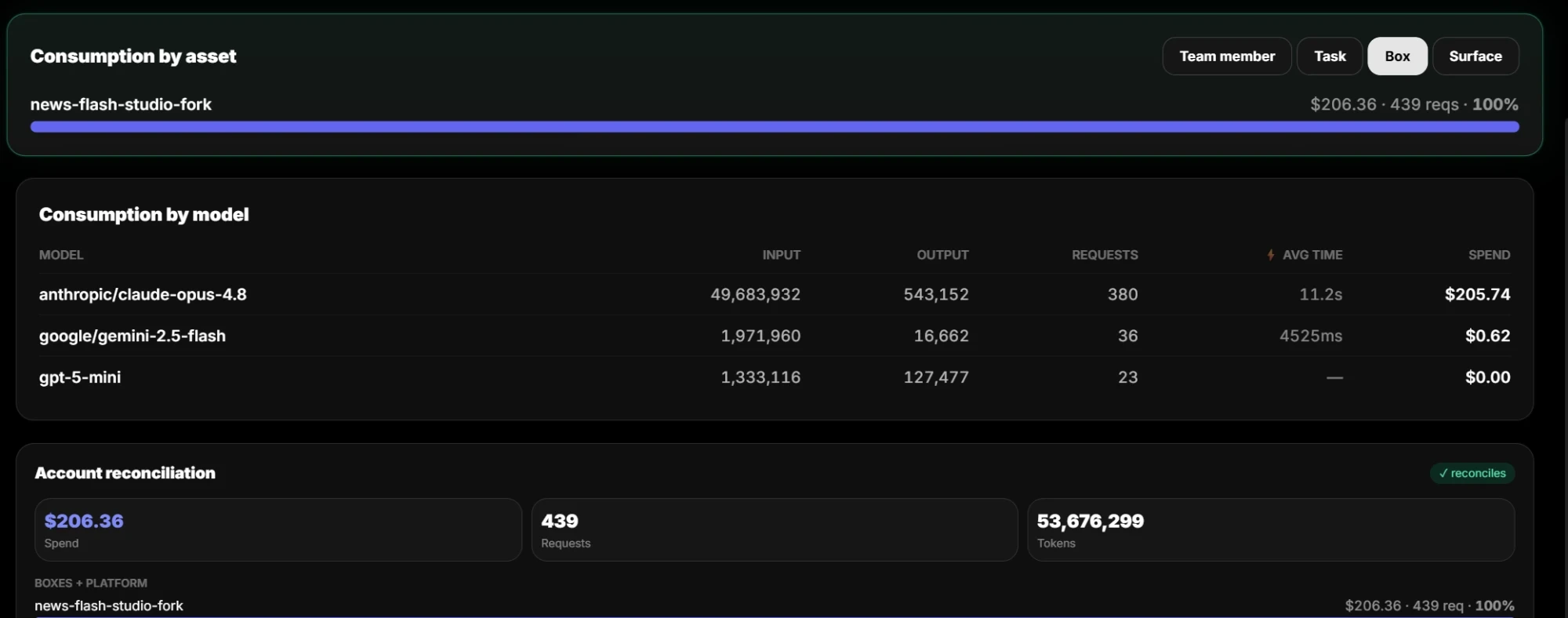
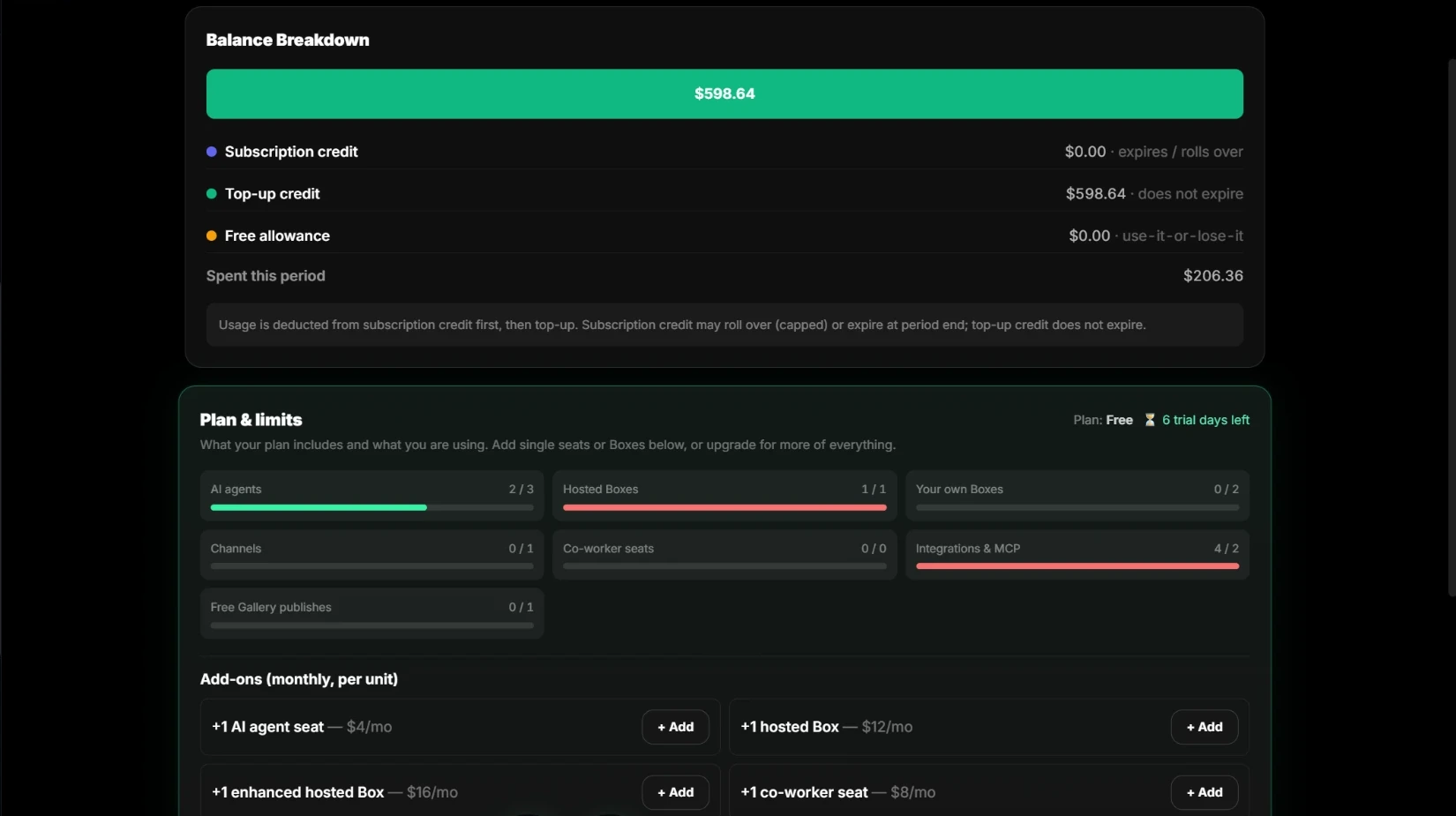
Usage is measured per model, task, team member, Box, and surface, down to tokens, requests, and average time. Every Box plus platform usage sums to your account total, and the balance shows where each credit came from. Set a monthly cap per Box.
See pricing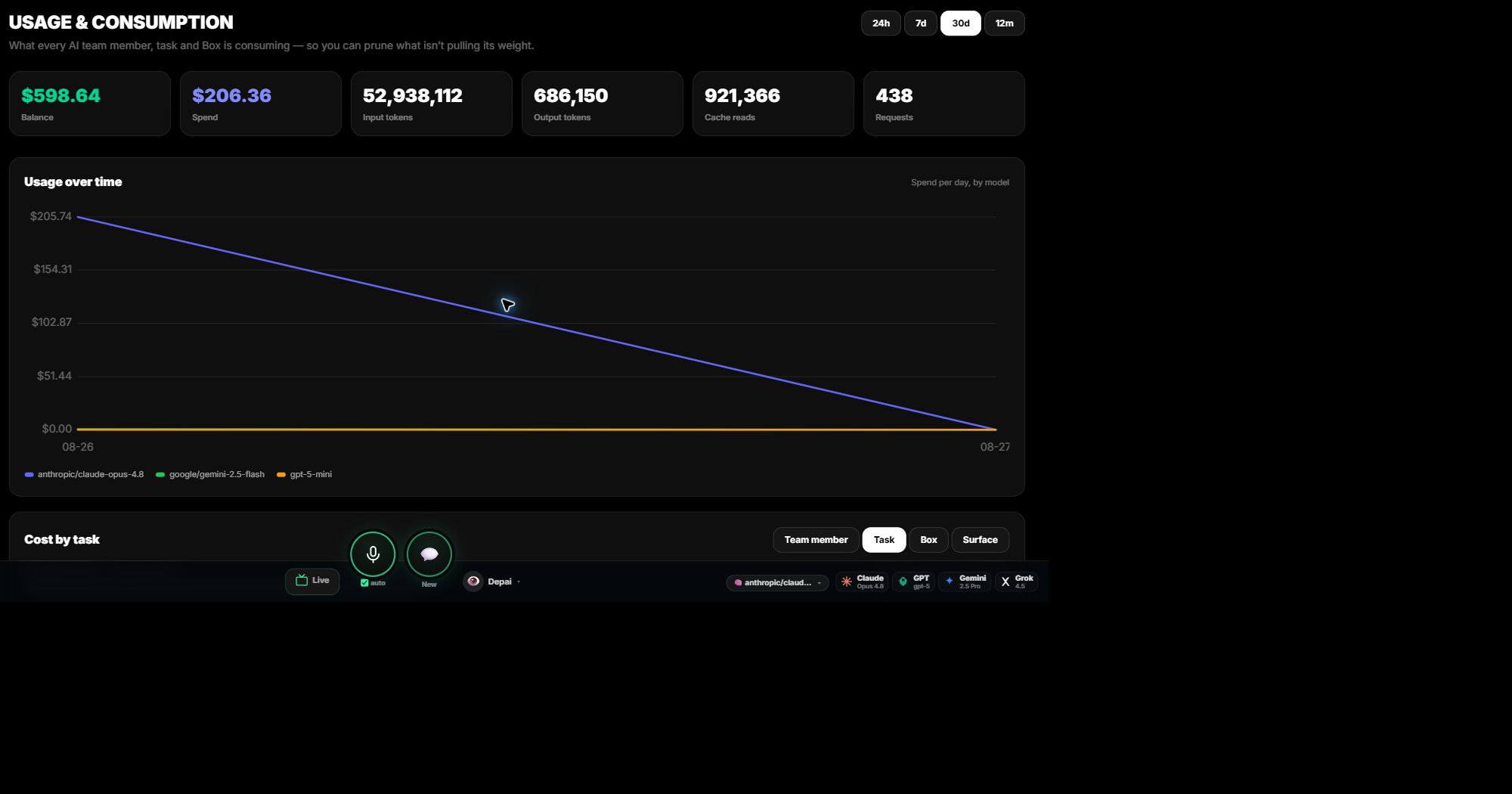
Controls
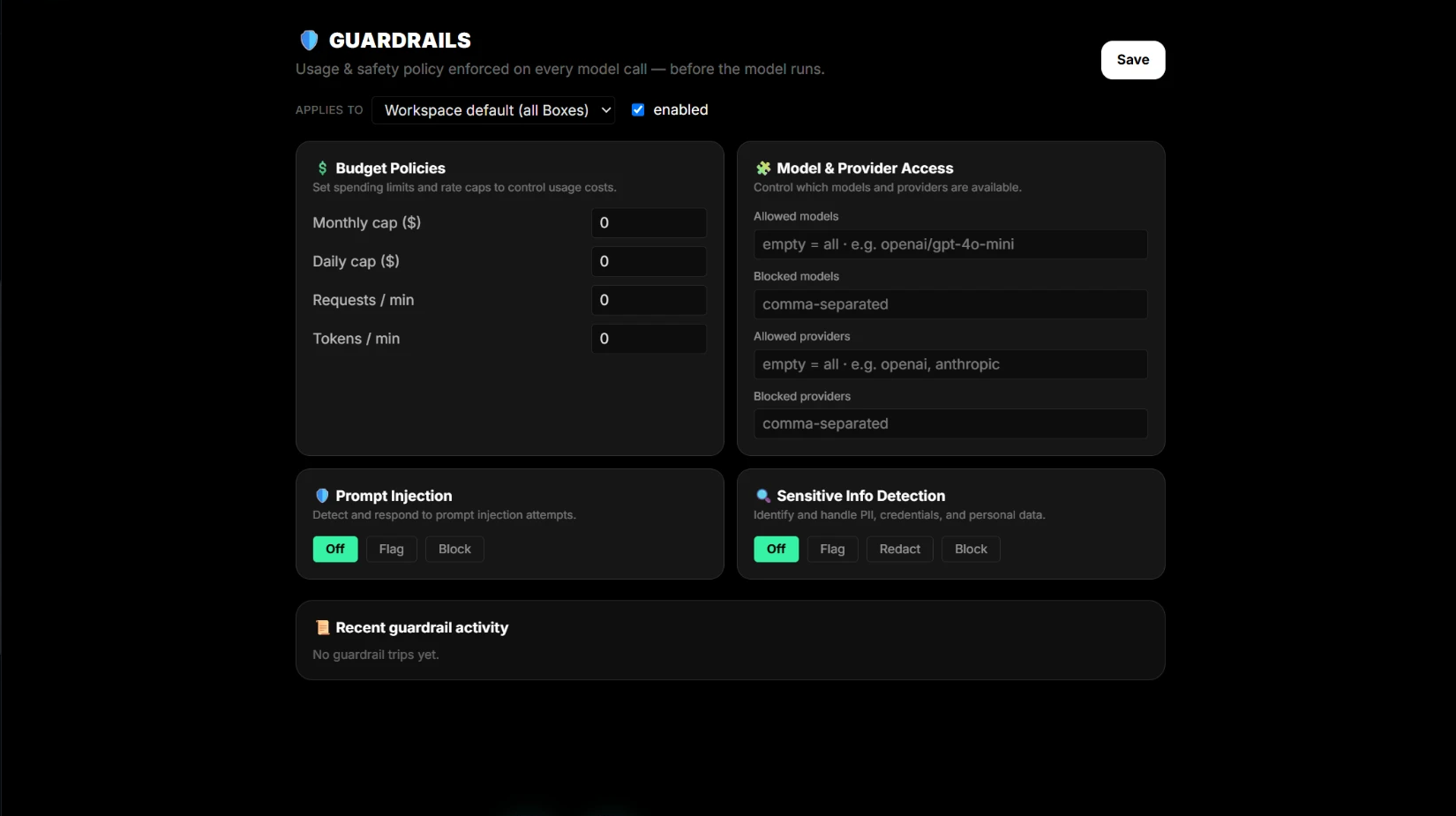
Policy before every call, approval before every write.
Guardrails run before each model call, as an account default or per Box: budget and rate caps, allowed models and providers, prompt-injection detection, and sensitive-information handling. Every external write becomes a visible proposal with its target, risk, and rollback, and runs after your approval, returning a receipt as proof.
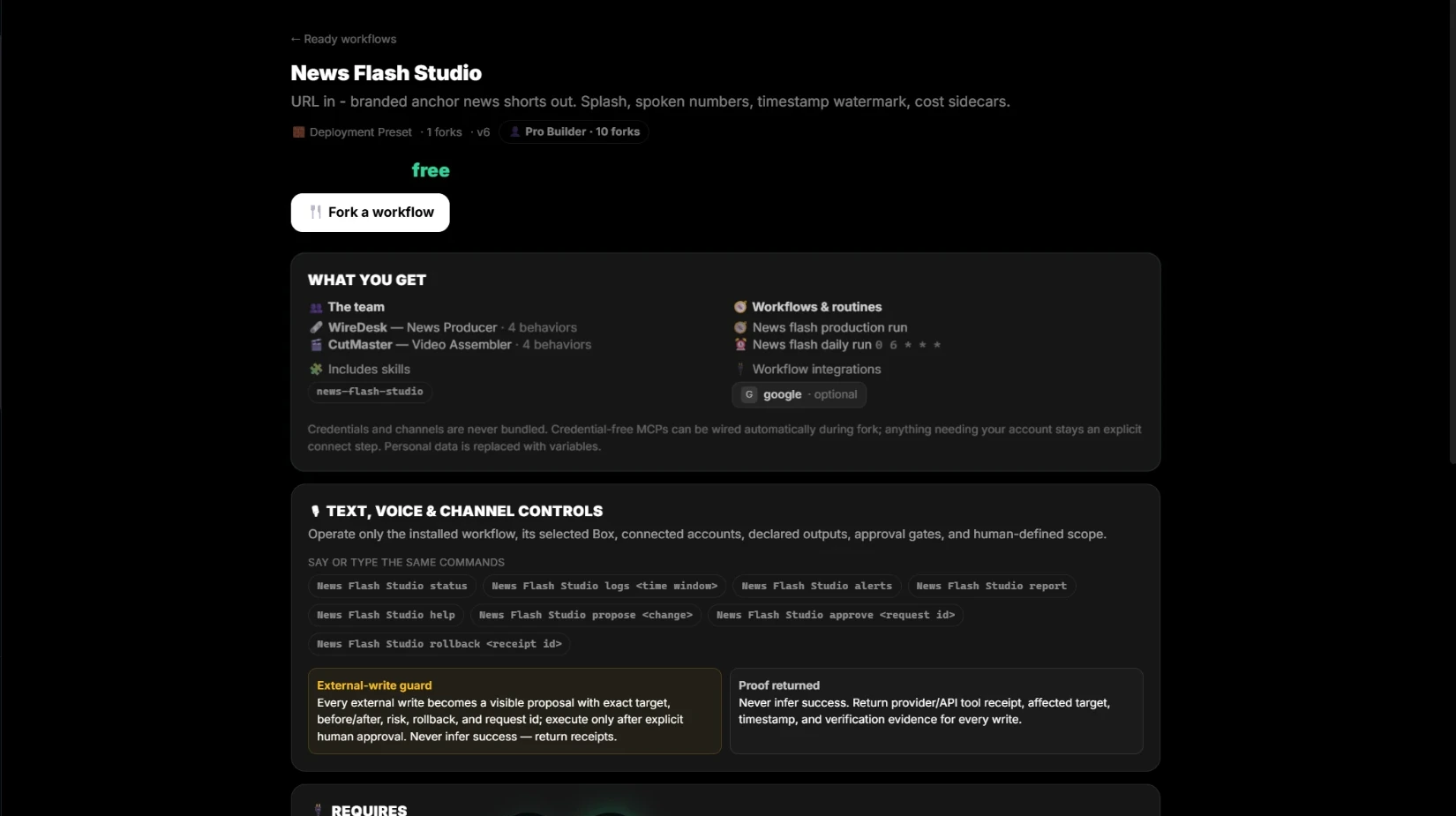
Ready workflows
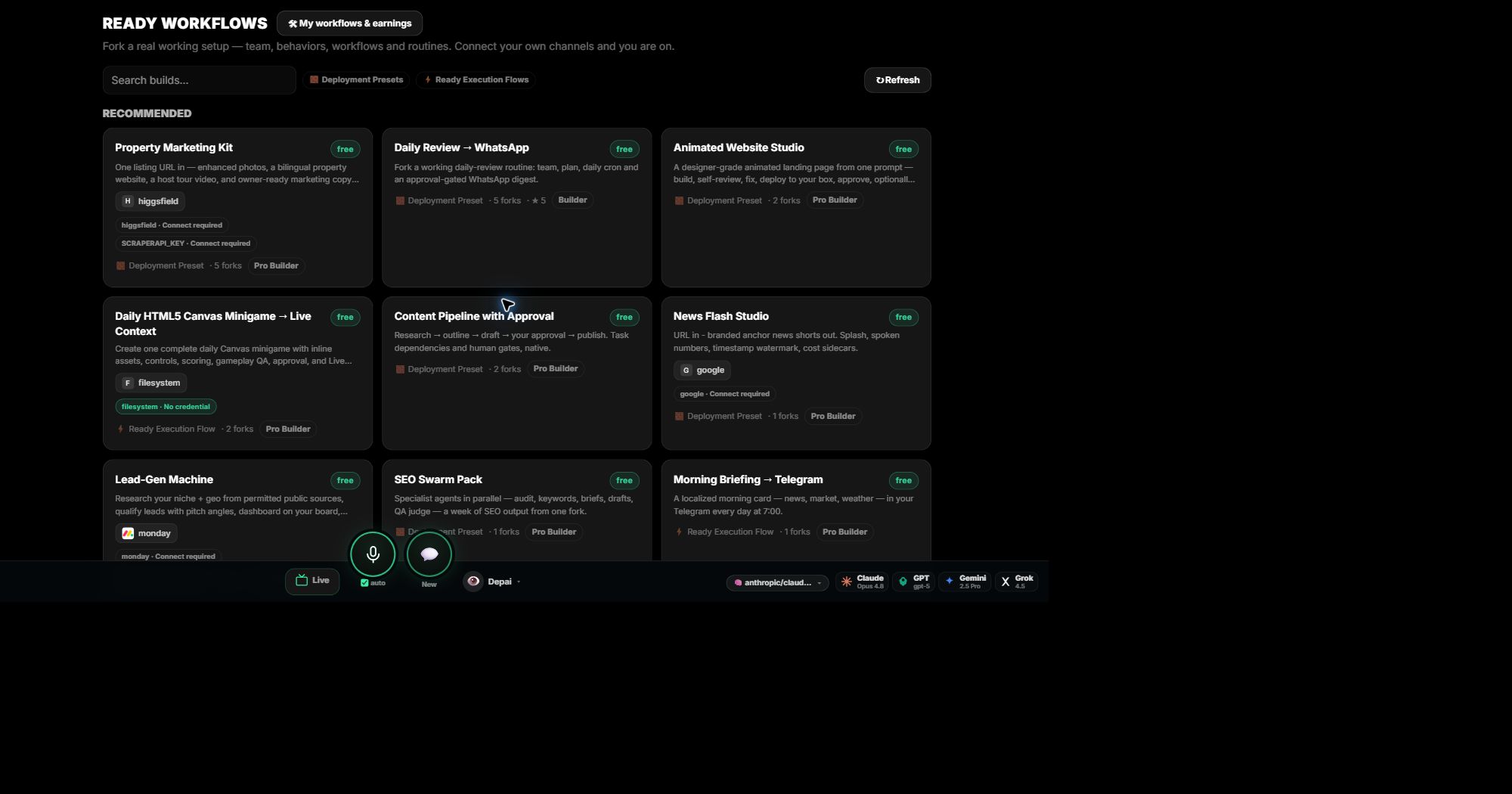
Start from a setup that already works.
Fork a real working setup: the team, its behaviors, skills, routines, and integrations. Each workflow shows exactly what you get and what it needs connected before you fork. Your keys and channels stay yours. Publish your own workflows for others to fork, and earn from them.
Set up your AI team.
Free to start. Bring your own keys or use dPanel.ai credits.