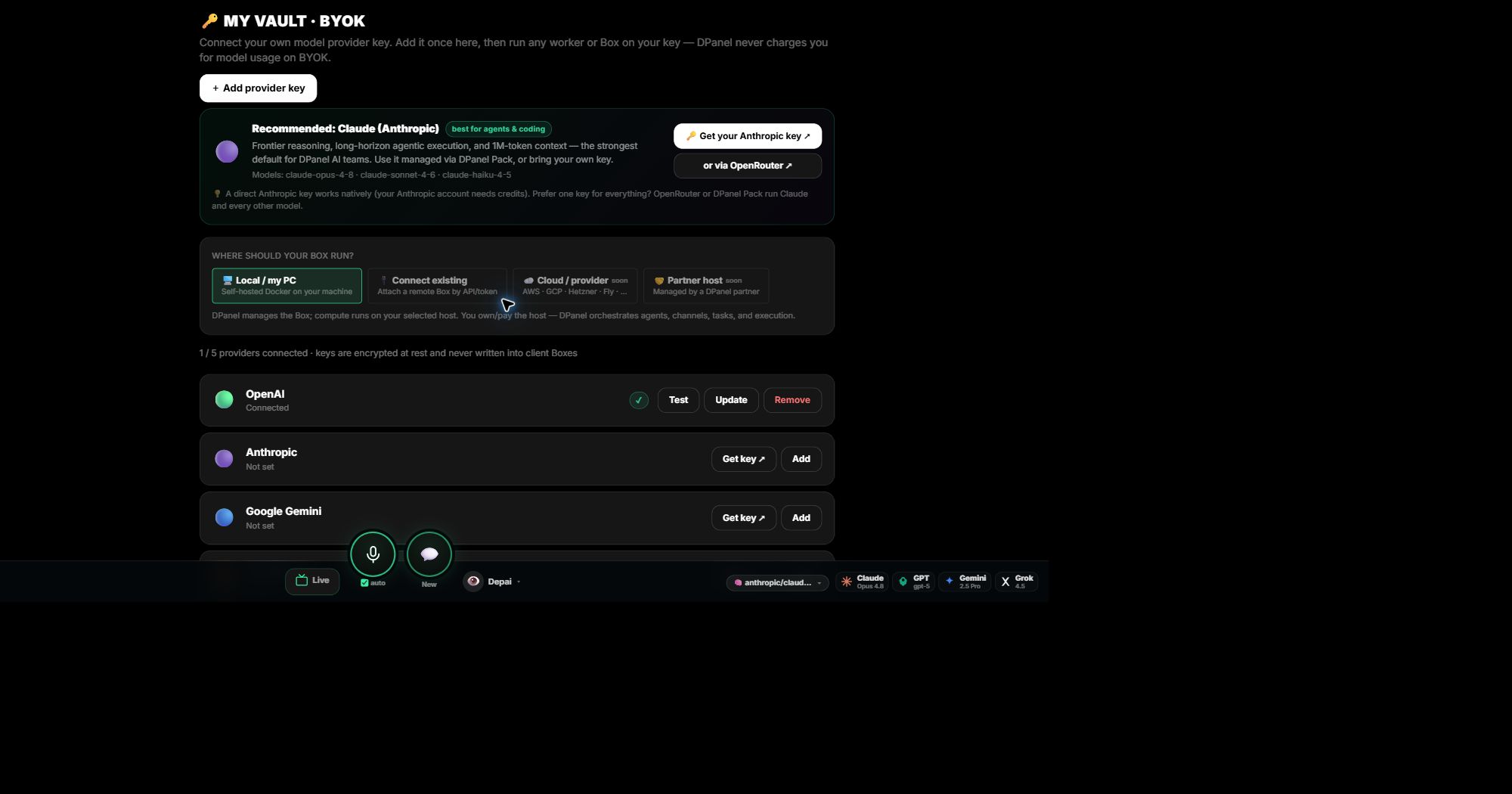
Add and test the key
Open My Vault, choose the provider, paste the key, and test the connection. dPanel.ai shows the connection state and keeps the secret hidden from then on. Keys are encrypted at rest and stay out of client Boxes.
Apply it to a Box
Choose the provider, choose the Box, optionally choose a model, and confirm. Any worker on that Box can now run on your key.
Your provider bills the usage
With your own key, model calls are billed by your provider account. your dPanel.ai credits stay untouched, and Usage & Costs still shows what each task consumed.
Continue in dPanel.ai
Open the related product area or workflow when you are ready to apply this guide.
Learn about BYOK