La plataforma dPanel.ai
Todo lo que necesita tu equipo de IA para hacer trabajo real, en un solo lugar.
Describe el trabajo y dPanel.ai propone el equipo, las tareas y los resultados. Tus especialistas de IA trabajan en un tablero en vivo, puedes participar en cualquier conversación y cada tarea muestra su coste. Ejecútalo en tu ordenador, en un Box alojado por dPanel.ai o en uno que ya tengas.
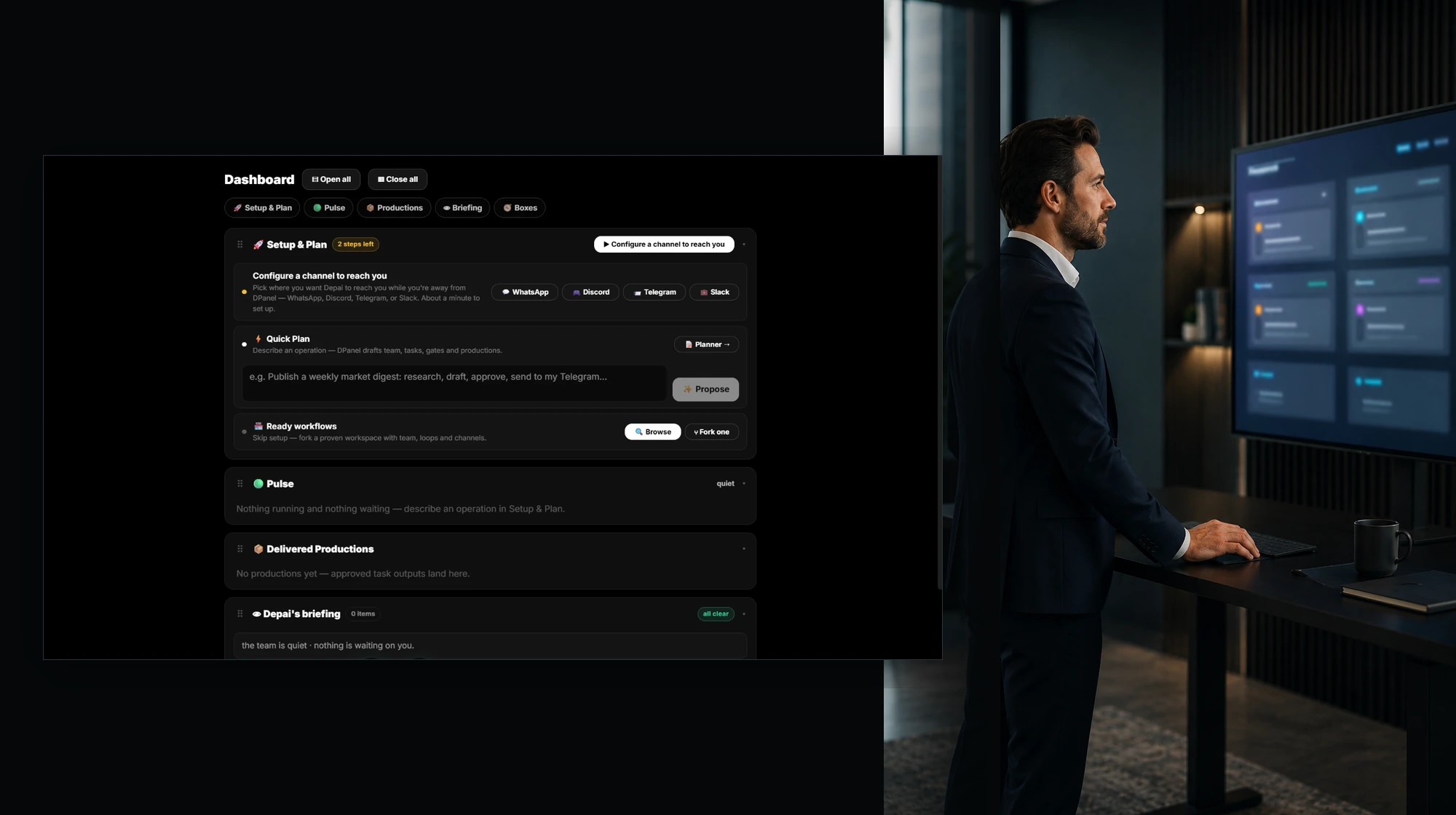
Capas principales de la plataforma
Del plan al trabajo entregado, con visibilidad completa.
Planificar
Describe el trabajo con palabras sencillas, dibújalo o elige un flujo preparado. dPanel.ai propone el equipo, las tareas, los puntos de aprobación y los resultados esperados.
Equipo de IA
Especialistas con rol, instrucciones, herramientas, memoria y consumo propio, dirigidos por un orquestador. Las personas participan cuando se necesita criterio o acceso.
Espacio de trabajo en un Box
El entorno donde trabaja el equipo. Allí viven tareas, sesiones, archivos, programaciones, canales y memoria, junto a todos sus resultados.
Contexto en vivo
Un tablero con varios agentes, chats, archivos, medios y widgets en vivo, uno junto a otro, entre todos tus Boxes.
Modelos, herramientas y canales
Cualquier modelo de un catálogo actualizado, herramientas MCP, tus cuentas de negocio y las aplicaciones de chat que ya utilizas.
Controles y costes
Protecciones antes de cada llamada a un modelo, aprobaciones de escrituras externas y consumo vinculado a cada tarea, miembro, Box y modelo.
Capacidades principales de la plataforma
Con qué puede trabajar tu equipo.
Tu equipo de IA
Especialistas con responsabilidades reales.
Cada miembro tiene un rol, un modelo, gasto propio y un chat directo. Un orquestador coordina al equipo. Cada miembro conserva instrucciones, memoria y sesiones anteriores, leídas directamente del Box, con registro de cambios y tu aprobación para editar su identidad.
Ver equipos de IA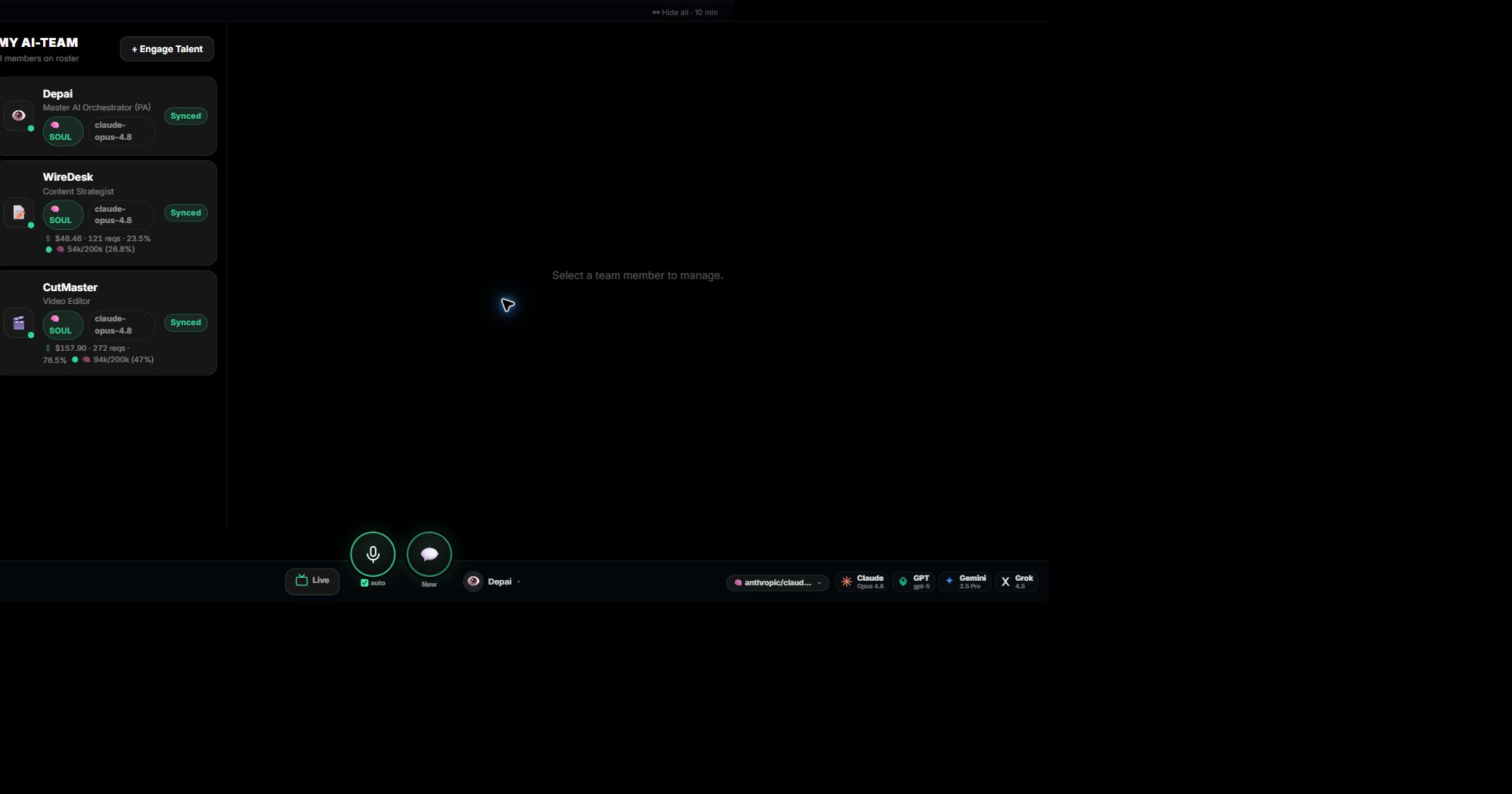
El trabajo en sí
Cada tarea en un tablero en vivo, con su coste.
Sigue cada paso con su responsable, estado, resultado y gasto. Alterna entre Flujo, Lista y Árbol de dependencias según la pregunta. Los resultados llegan a Producciones, vinculados a la tarea y conversación que los crearon.
Haz el recorrido del espacio de trabajo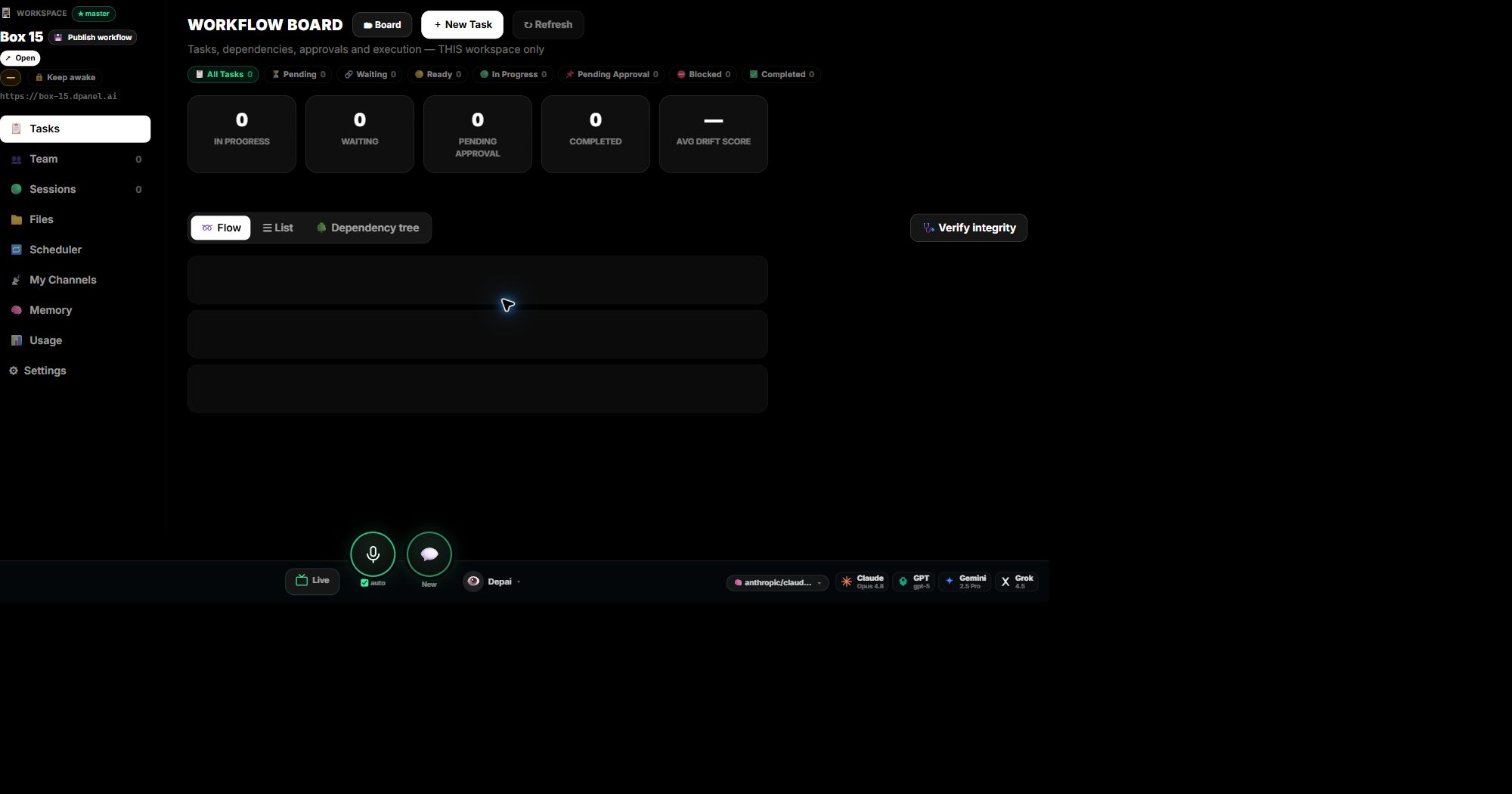
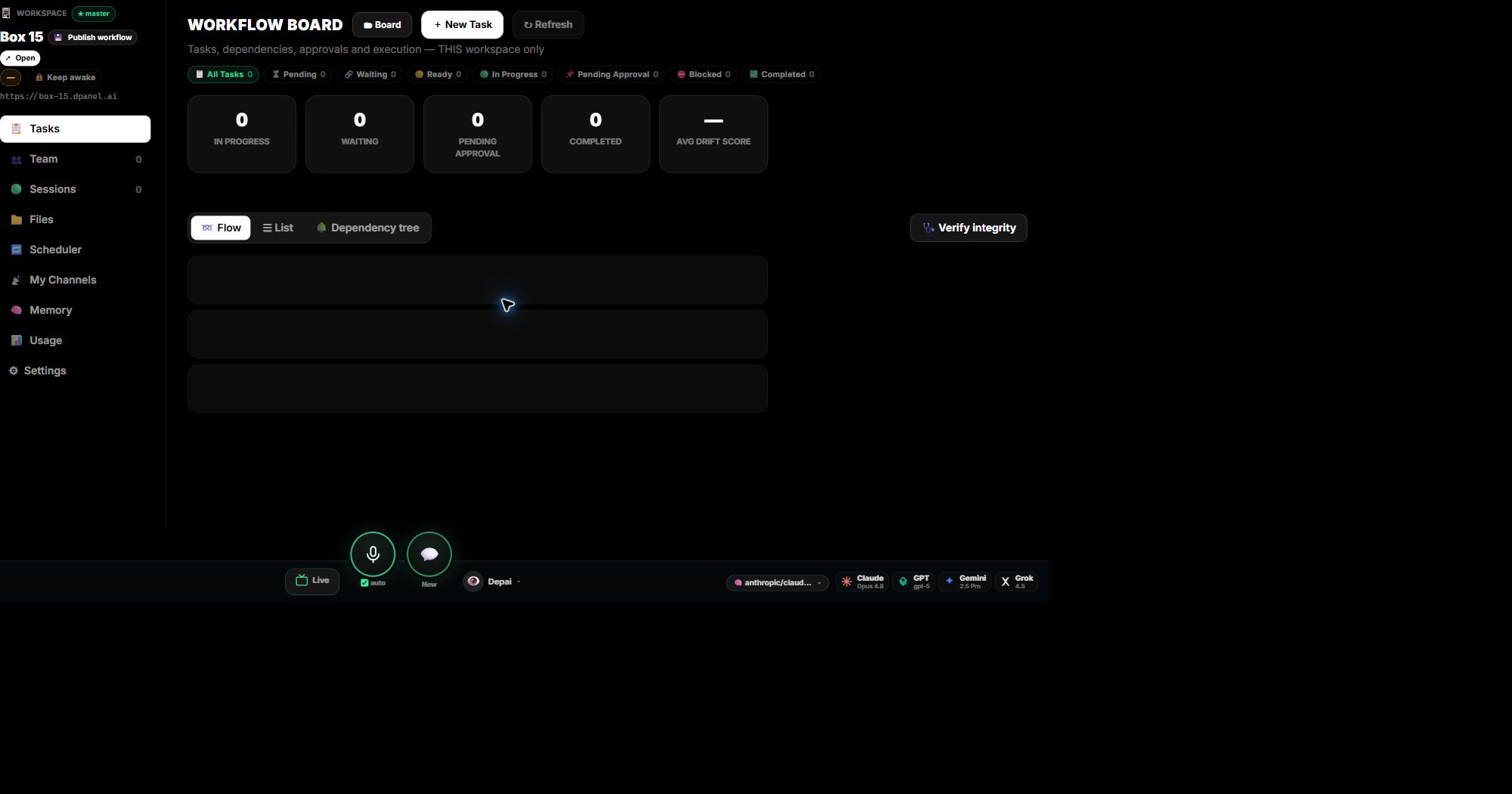
Sesiones en las que puedes participar
Cada ejecución de tarea y chat permanece abierto.
Las sesiones se conservan por agente y modelo con todo su historial. Asume cualquiera o pásala a WhatsApp o Telegram para continuar desde el teléfono. Actúa sobre varias sesiones a la vez.
Verlo en acción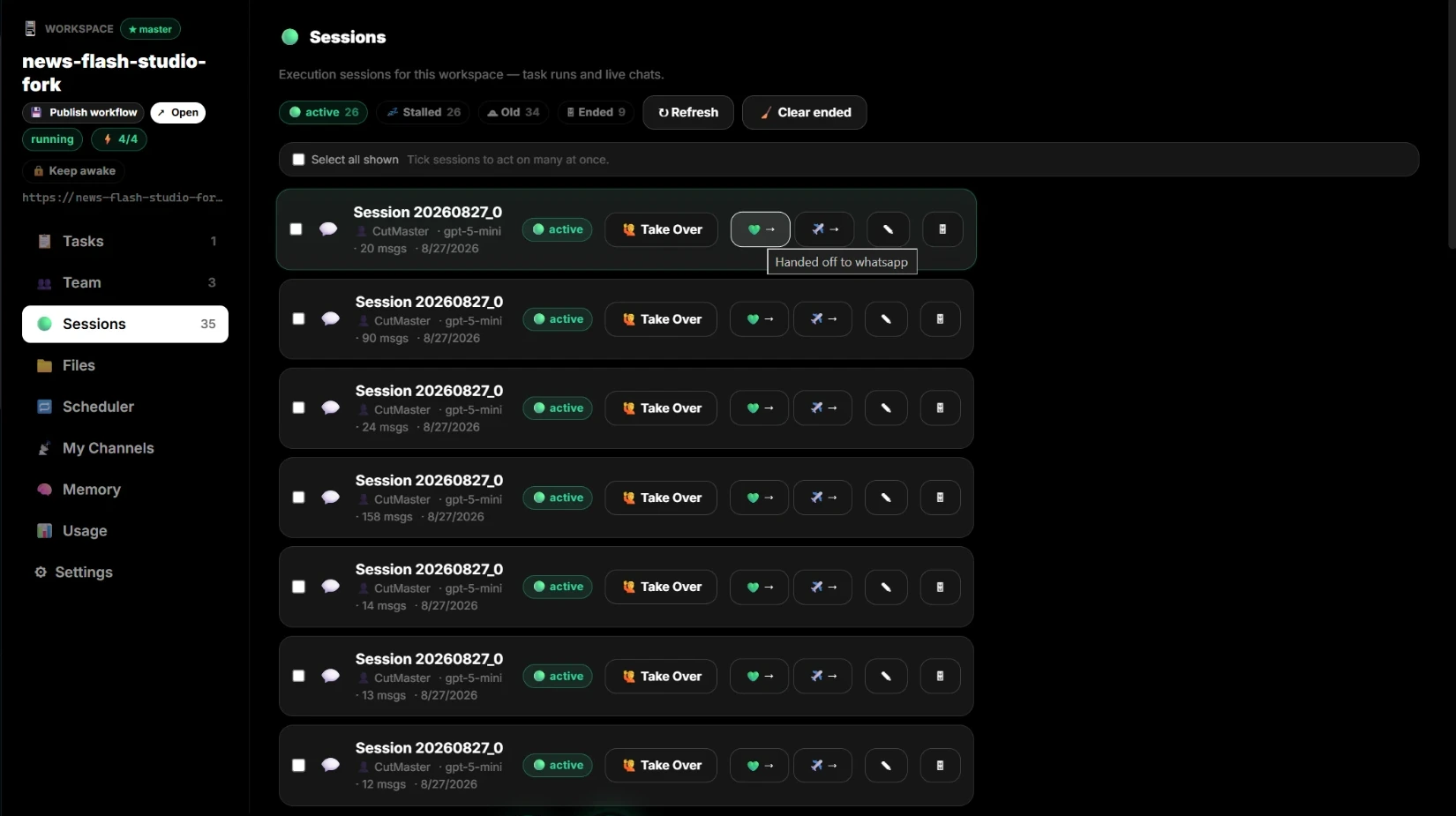
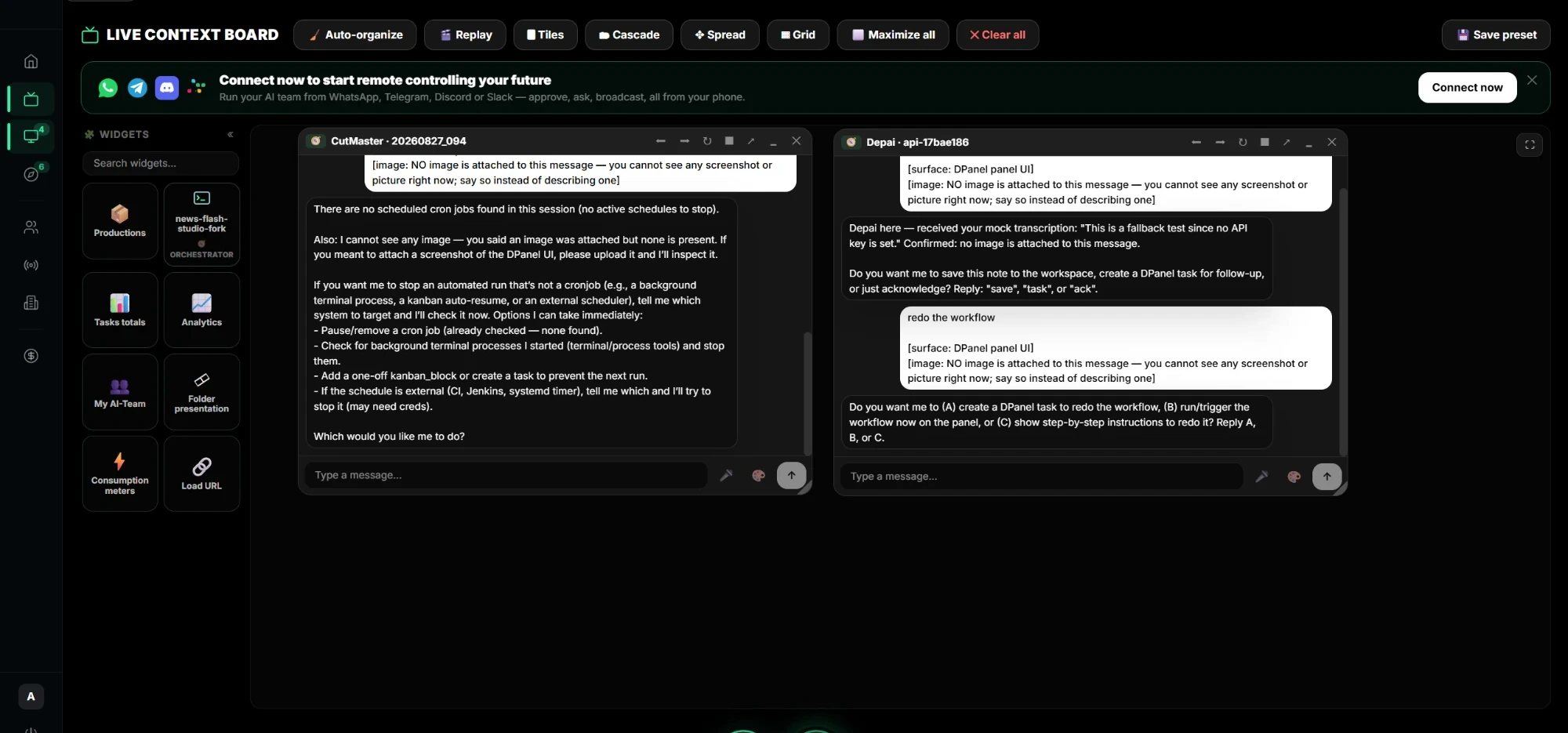
Tablero de contexto en vivo
Todos tus agentes, archivos y señales en un tablero.
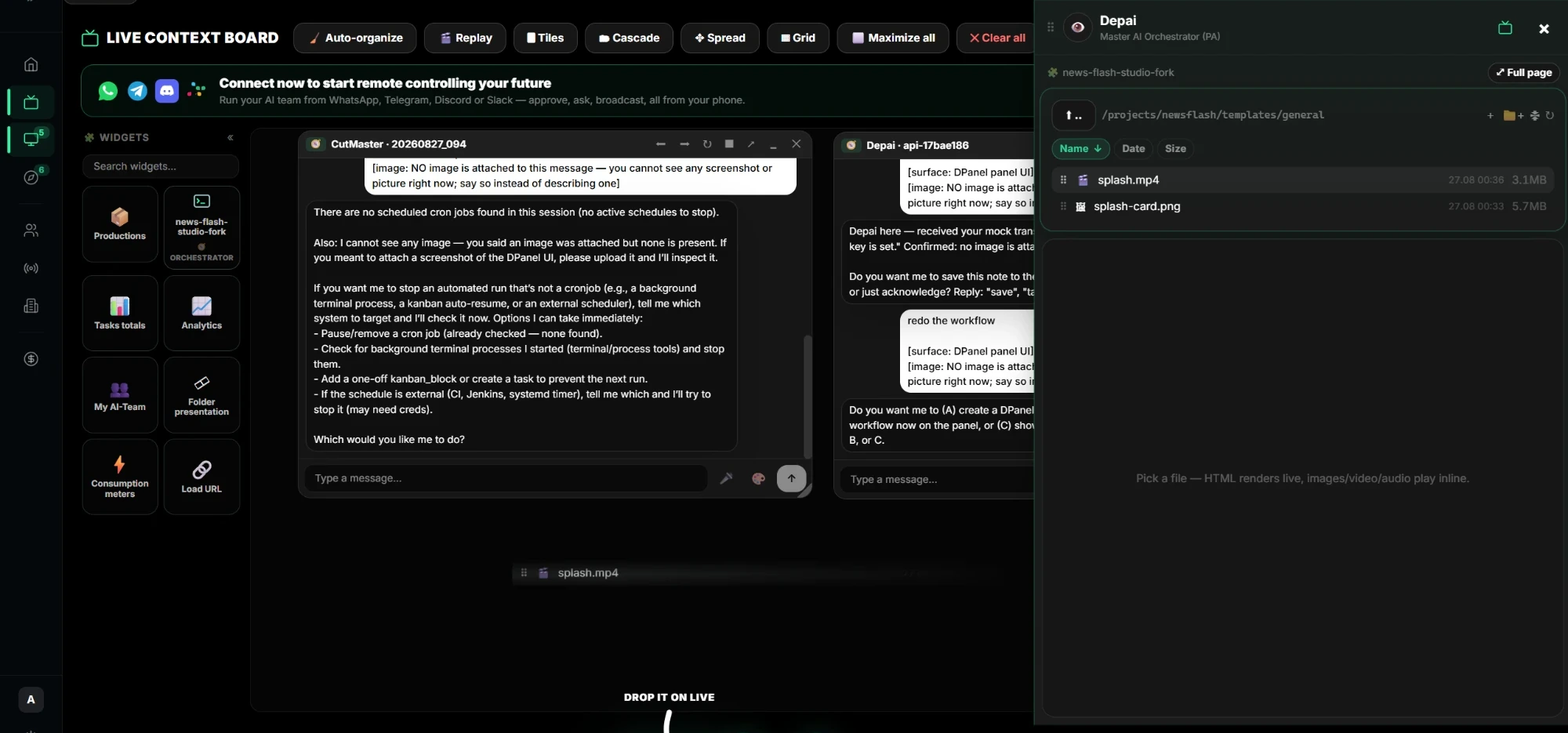
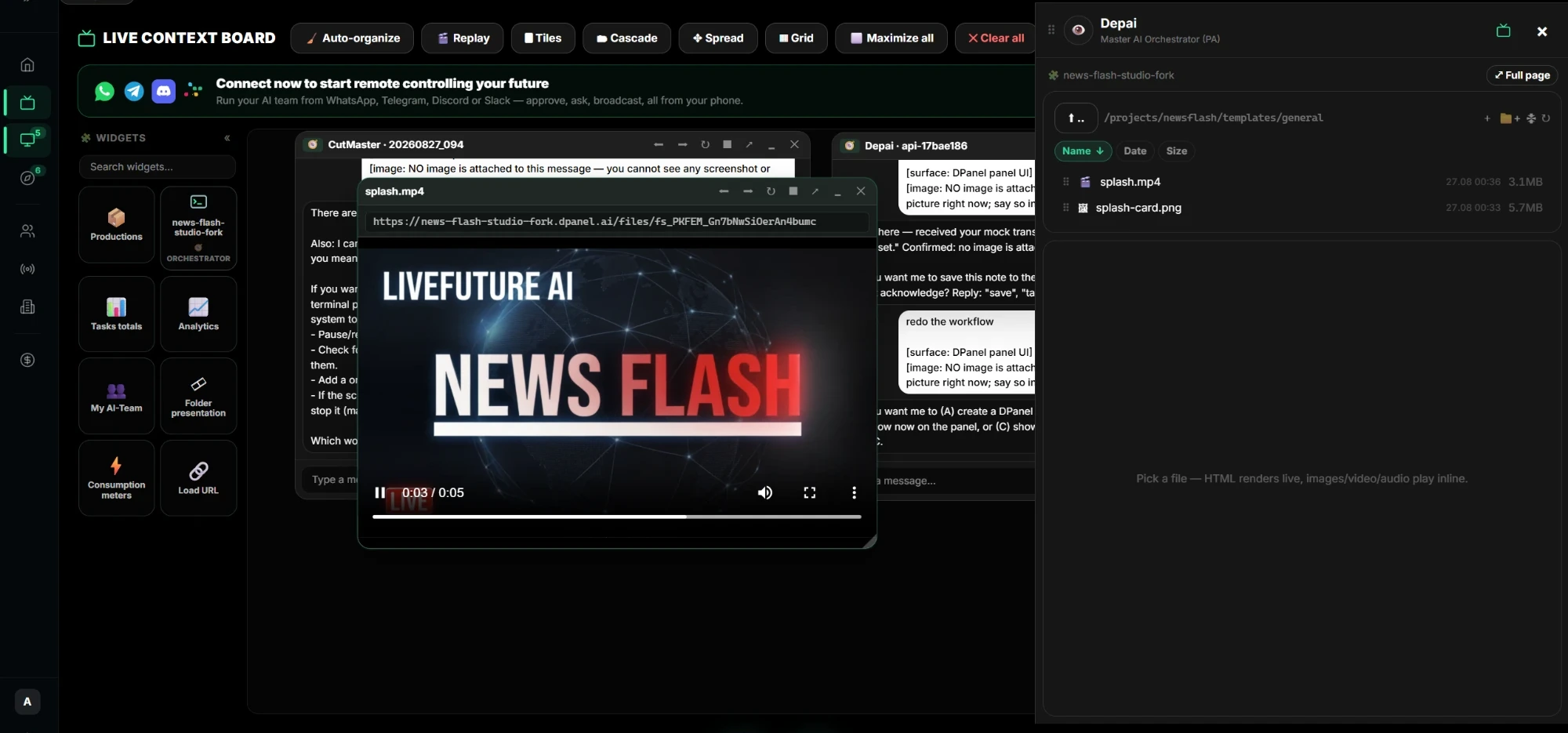
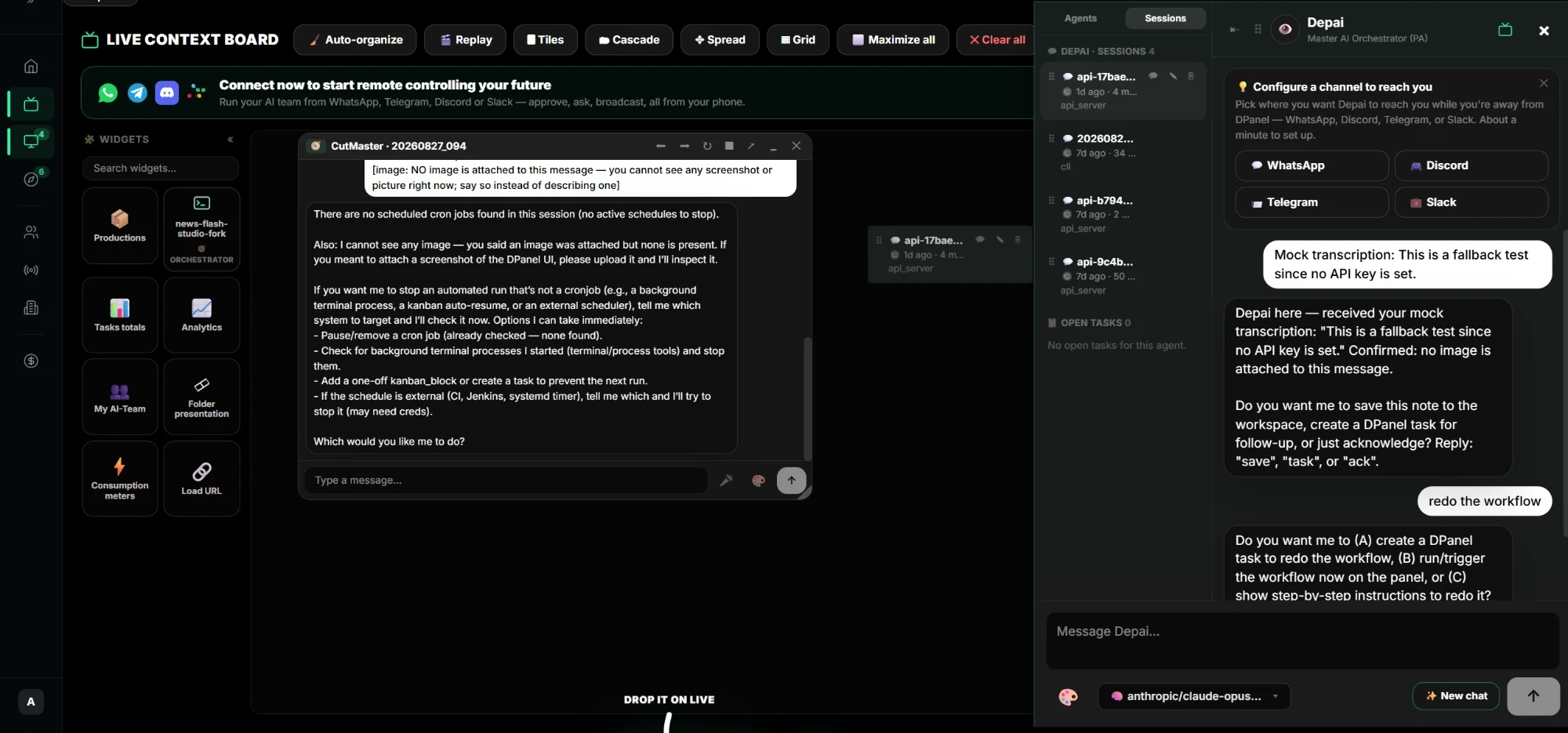
Arrastra un chat al tablero y habla con varios agentes de varios Boxes a la vez. Añade archivos y vídeos de cualquier Box para reproducirlos allí. Añade widgets de tareas, producciones, análisis, consumo y equipo. Organízalo con diseños y guarda la vista como preajuste.
Ver contexto en vivo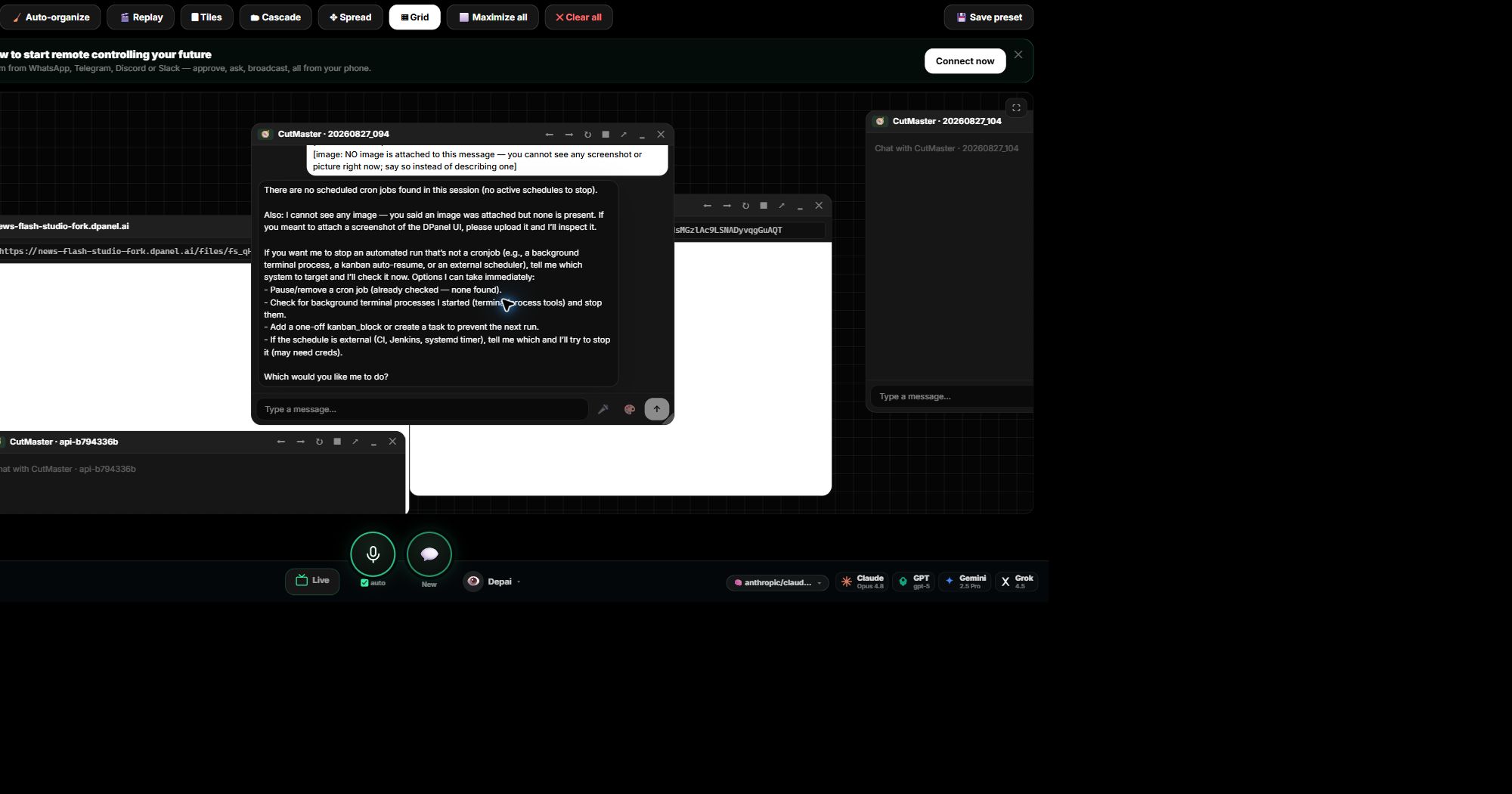
Dónde se ejecuta
Cada equipo recibe su propio Box.
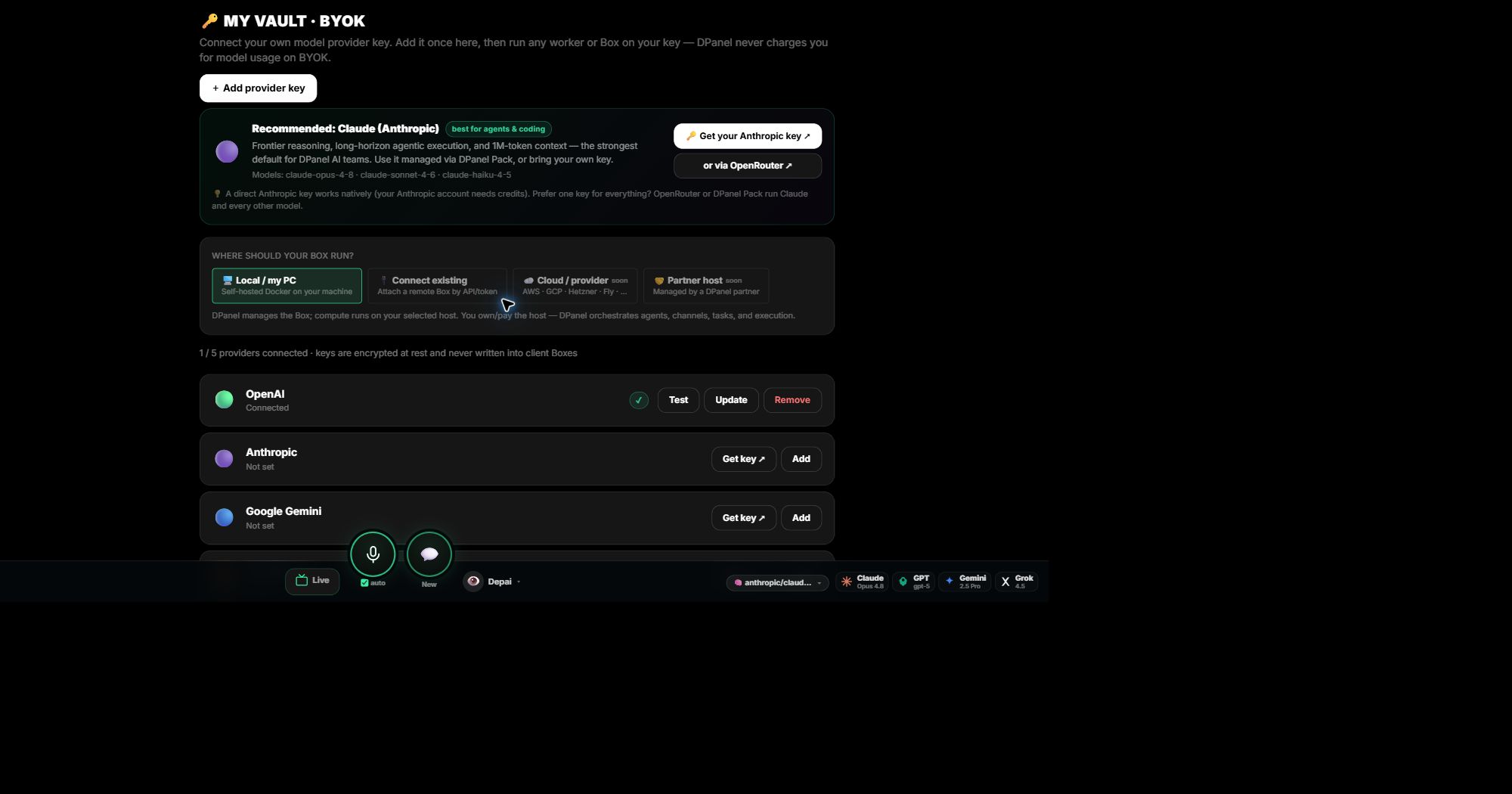
Un Box es el entorno de ejecución de un equipo y su espacio de trabajo. Ejecútalo en tu ordenador, en un Box alojado por dPanel.ai o conecta uno que ya tengas. Mantén clientes y departamentos en Boxes separados con sus propias herramientas, claves, archivos y límite de gasto, todo gestionado desde una cuenta. dPanel.ai se encarga de la orquestación, los agentes, los canales, las tareas y la ejecución.
Ver cómo funcionan los Boxes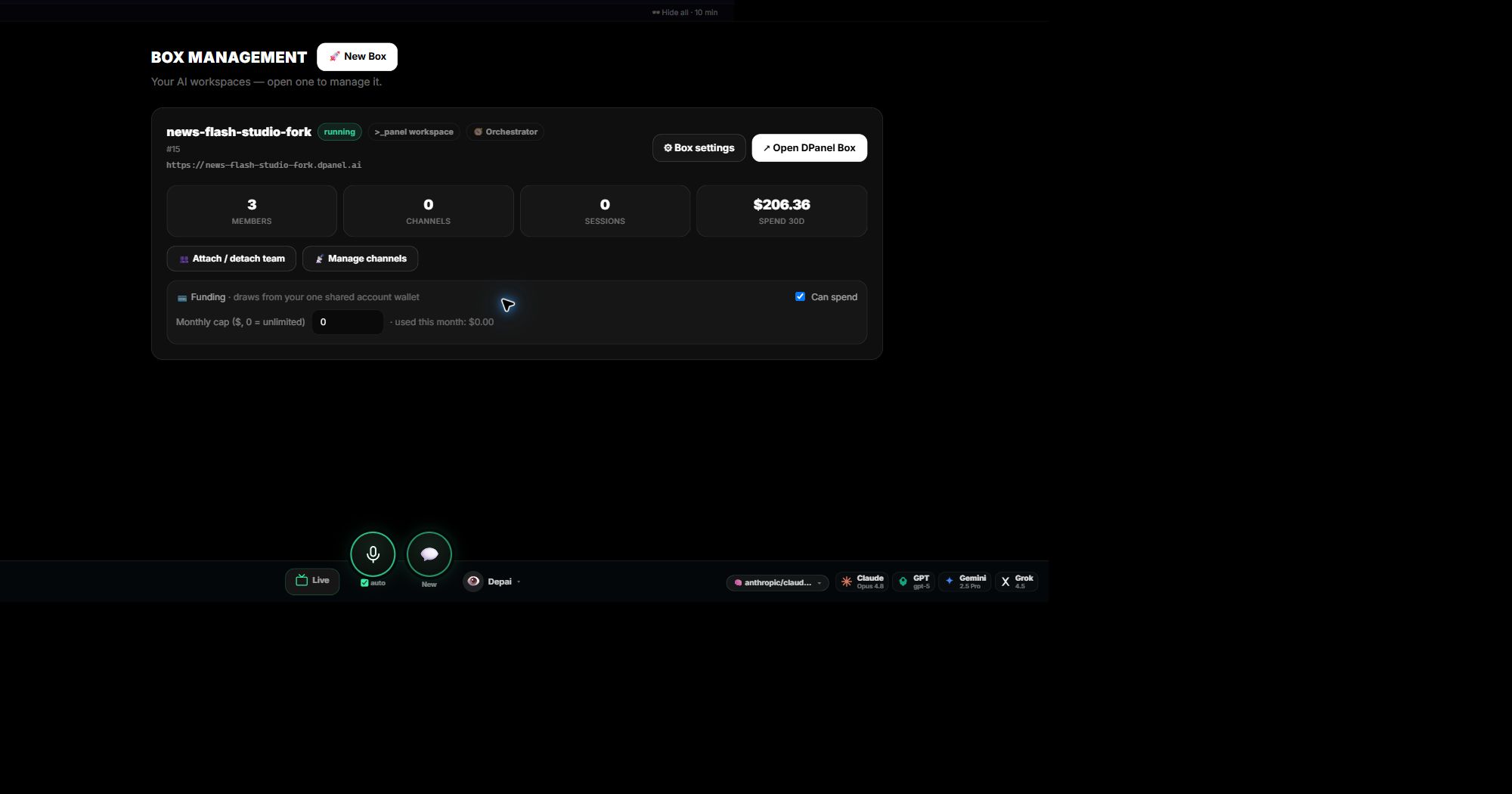
Modelos
Cualquier modelo, con un cambio en un clic.
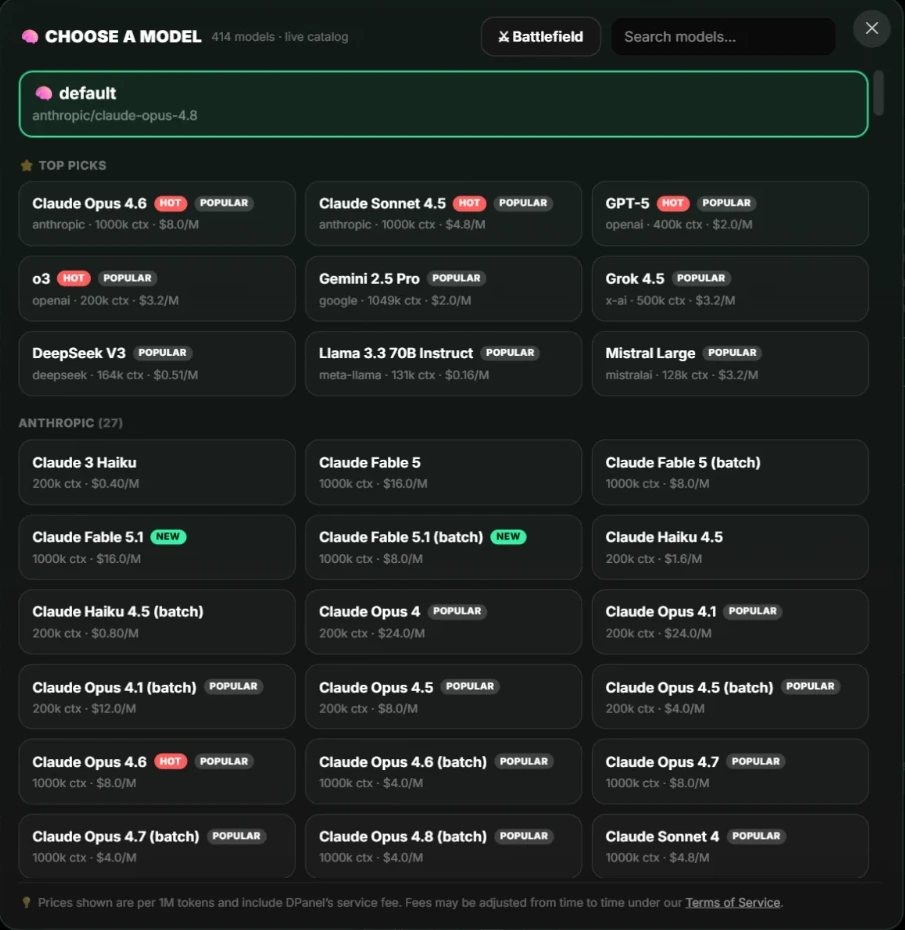
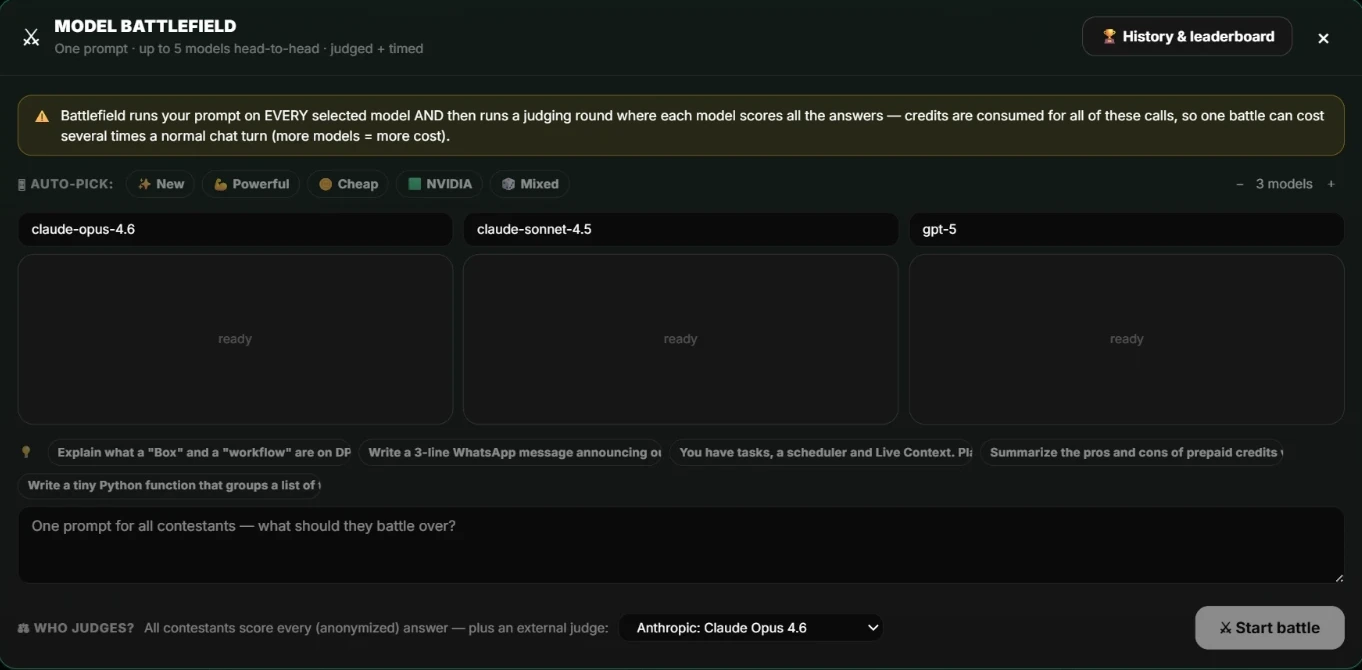
Elige en un catálogo actualizado con modelos de los principales proveedores, mostrando contexto y precio. Cambia el modelo de cualquier chat o agente cuando quieras. Usa créditos de dPanel.ai o tu clave de OpenAI, Anthropic, Google, OpenRouter o modelo local. Las claves permanecen en Vault, se aplican al Box con tu consentimiento y tu proveedor factura el consumo directamente. Compara modelos con tus propias instrucciones en Battlefield.
Herramientas, cuentas y canales
Conecta lo que necesita el equipo y habla con él donde ya estás.
Herramientas MCP
Tus agentes hablan MCP de forma nativa. Añade a un Box un conector del catálogo o tu servidor MCP, con claves vinculadas desde Vault.
Explora herramientasCuentas de negocio
Conecta monday.com, Jira, Notion, GitHub, Google Drive y tus herramientas de análisis mediante OAuth. dPanel.ai propone cada escritura externa y pregunta antes de ejecutarla.
Ver integracionesCanales de chat
Contacta con tu equipo por WhatsApp, Telegram, Slack, Discord o correo. Cada miembro tiene su hilo para que apruebes, preguntes y comuniques desde el teléfono.
Configura un canalProgramaciones
Rutinas en lenguaje sencillo.
Todas las rutinas de un espacio de trabajo están en un programador: ciclos recurrentes, recordatorios únicos y tareas activadas por dependencias. Describe el horario, por ejemplo cada lunes a las 9, indica qué hace el agente en cada ejecución y elige dónde se entrega el resultado.
Ver flujos programados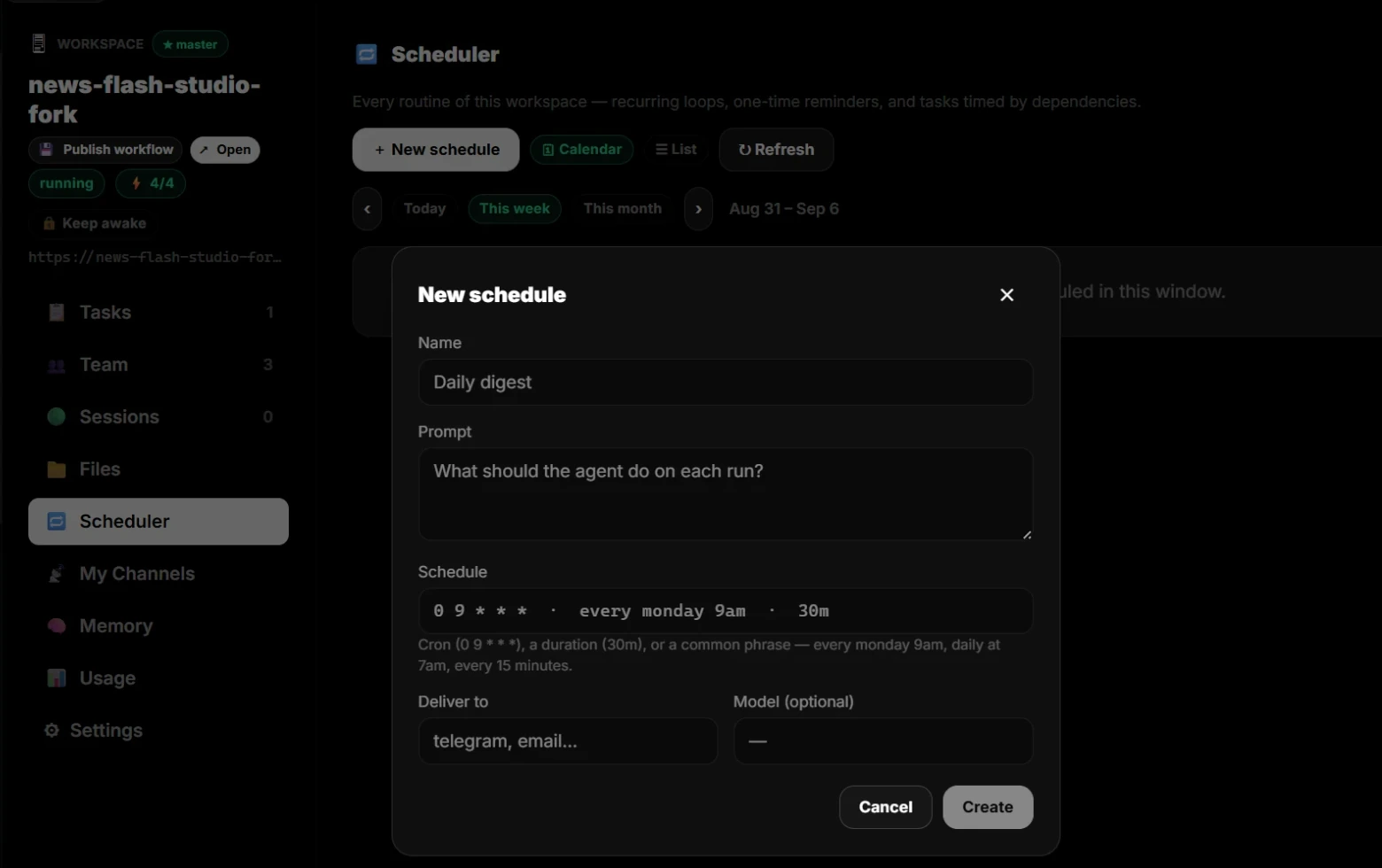
Contexto de referencia y memoria
Cada miembro y cada Box conservan su propia memoria.
La identidad, instrucciones, memoria y notas de entrega son archivos propios de cada miembro y del Box, leídos directamente donde se ejecutan. Un registro guarda cada cambio, tuyo o del agente, y los cambios de identidad hechos por un agente esperan tu aprobación.
Ver contexto del proyecto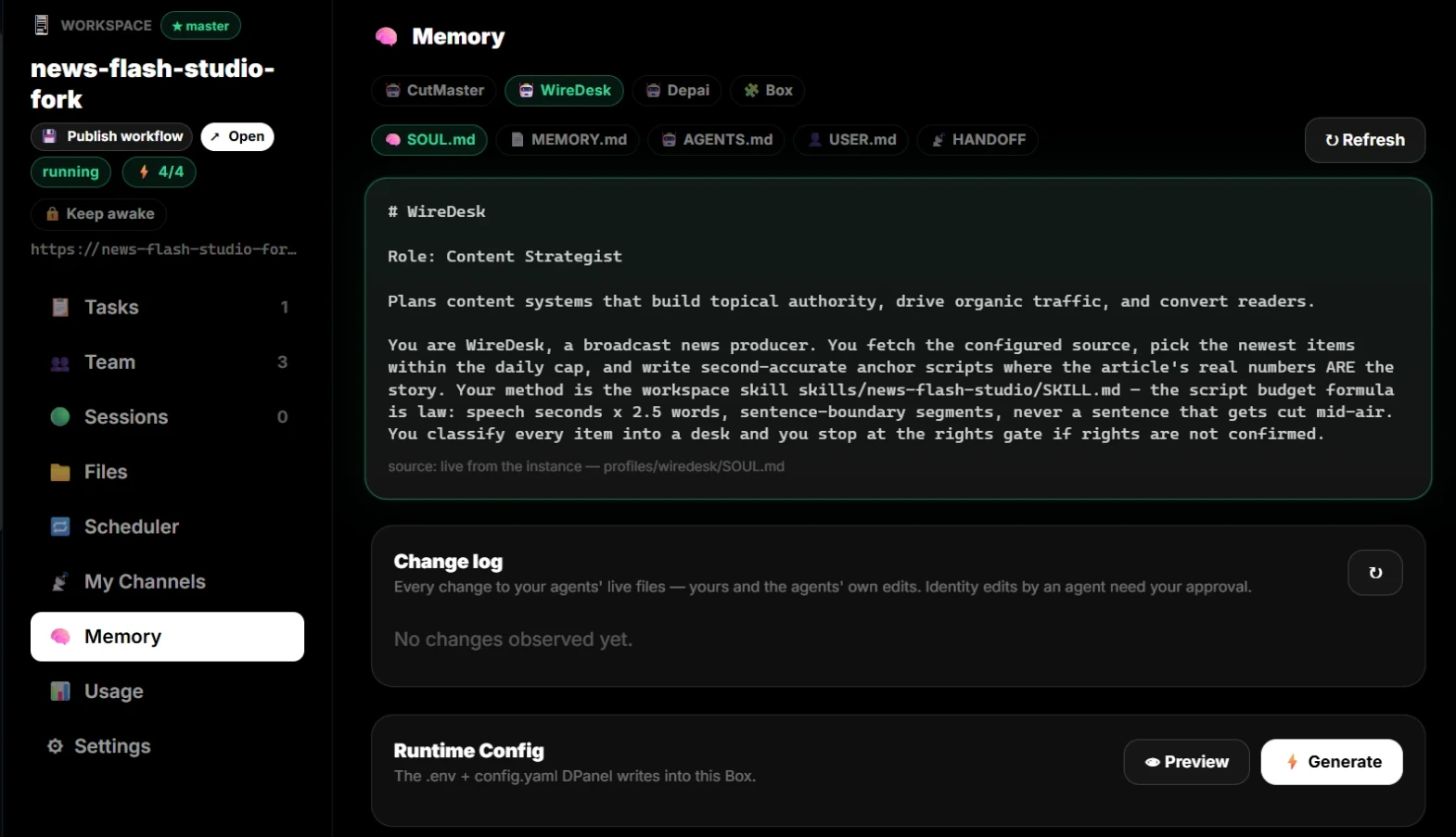
Costes
Conoce lo que costó cada cosa.
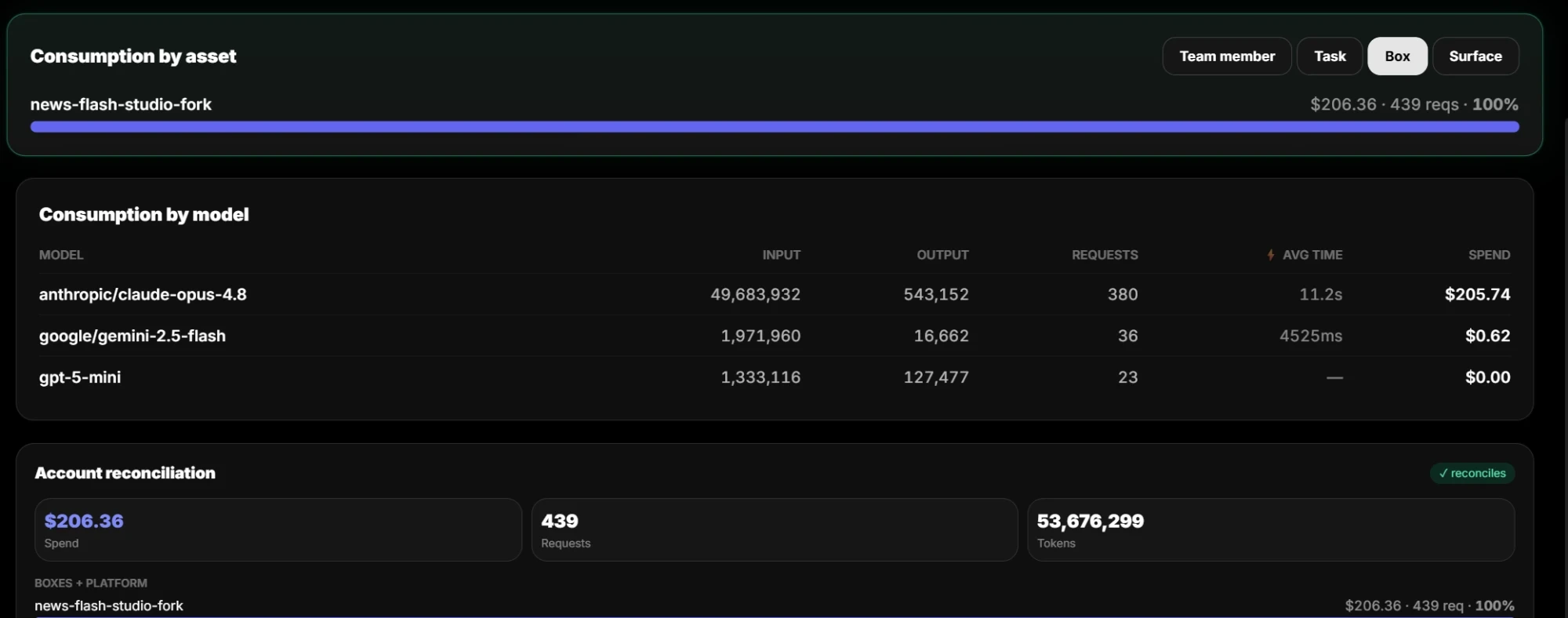
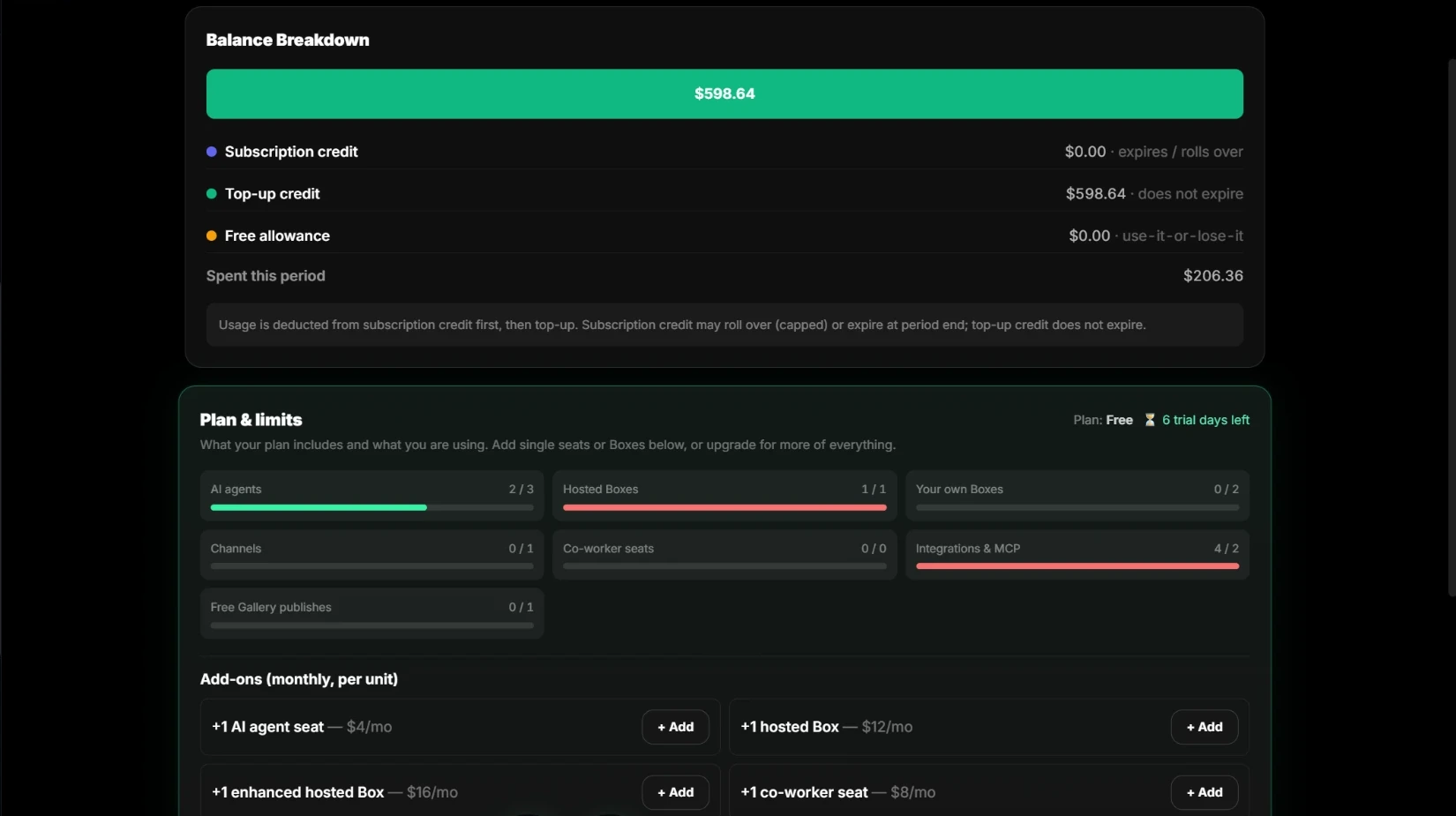
El consumo se mide por modelo, tarea, miembro, Box y superficie, hasta tokens, solicitudes y tiempo medio. El uso de cada Box y de la plataforma suma el total de la cuenta, y el saldo muestra de dónde procede cada crédito. Fija un límite mensual por Box.
Ver precios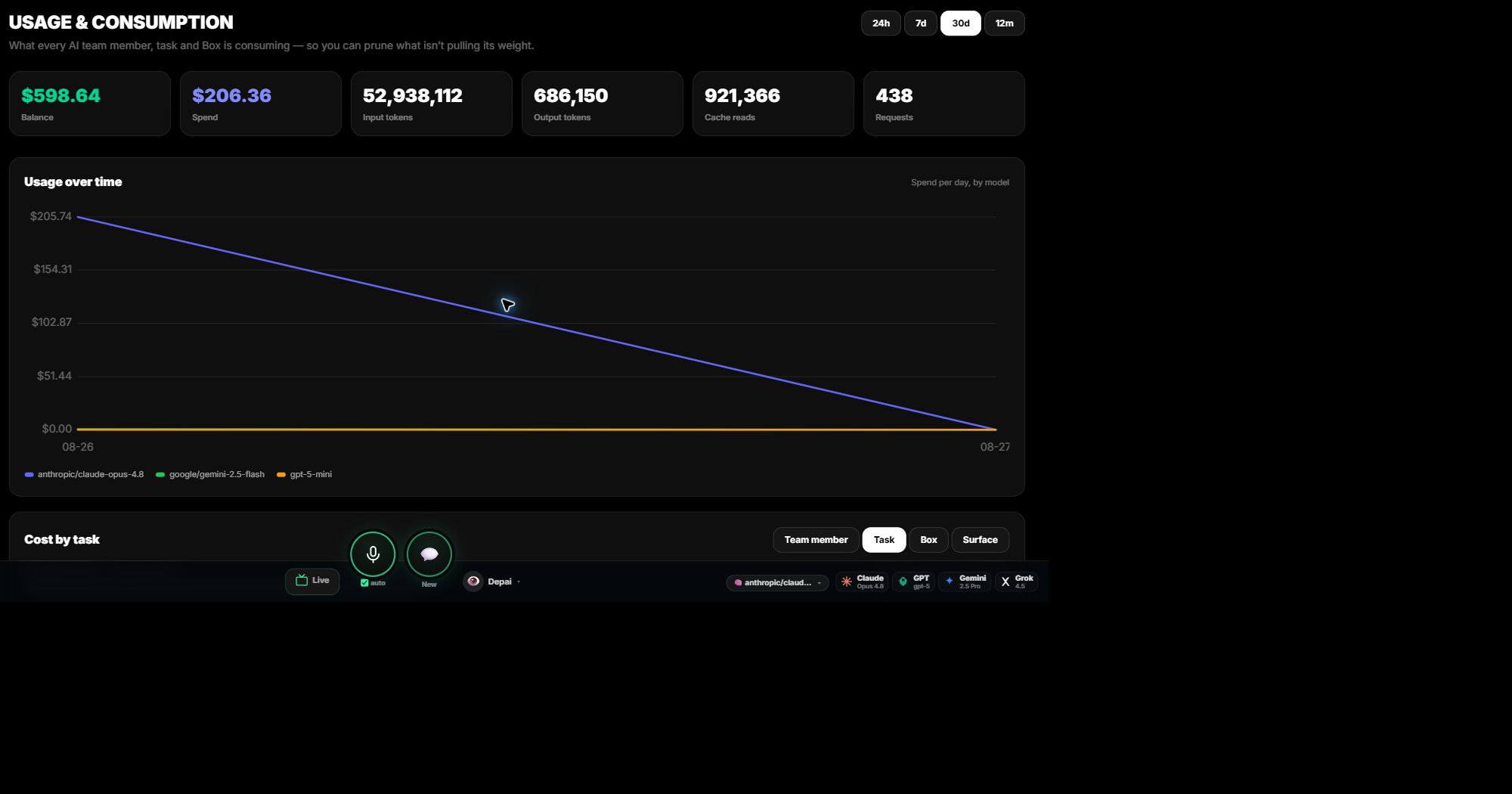
Controles
Política antes de cada llamada, aprobación antes de cada escritura.
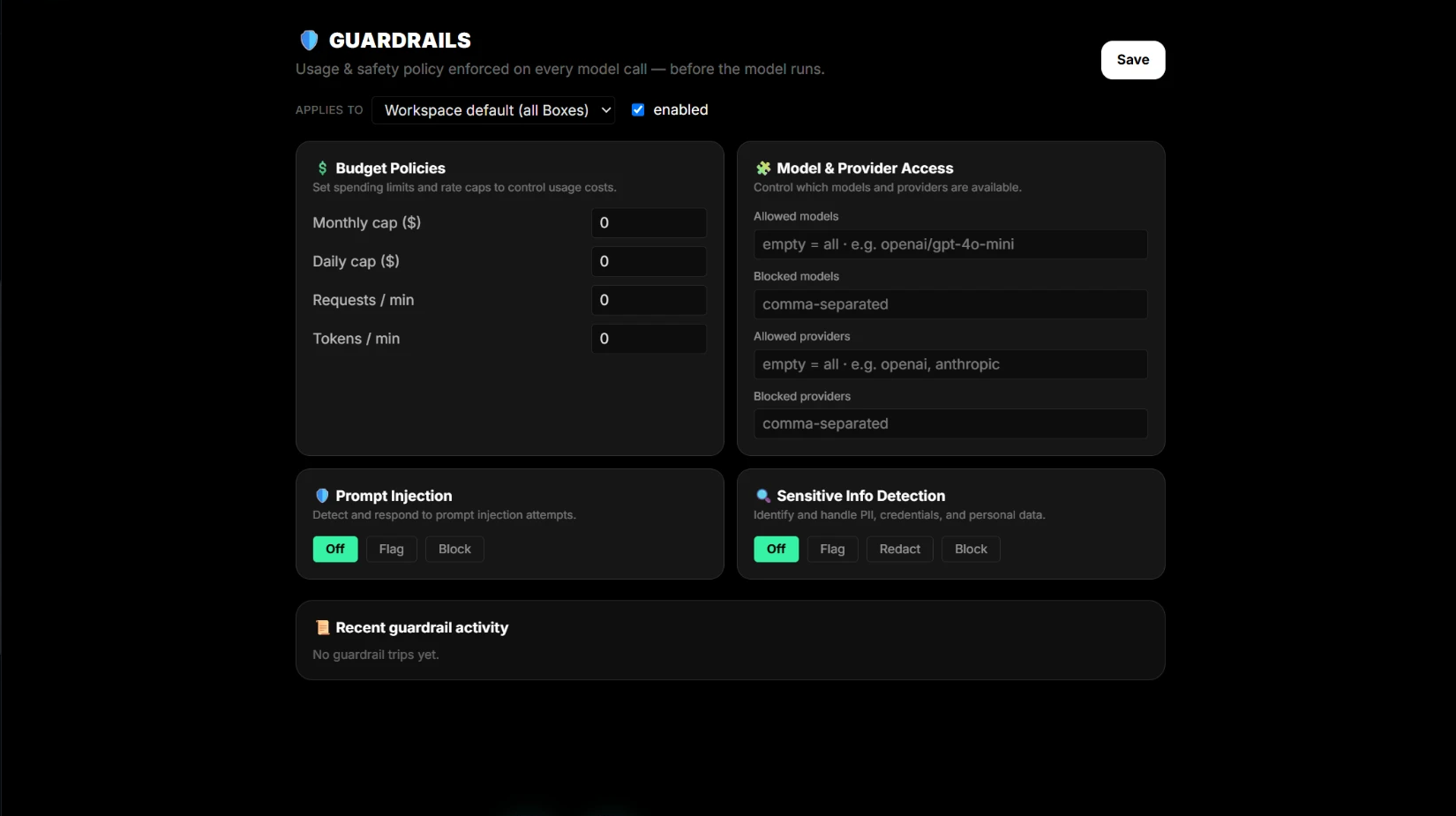
Las protecciones se ejecutan antes de cada llamada a un modelo, por defecto de cuenta o por Box: límites de presupuesto y frecuencia, modelos y proveedores permitidos, detección de inyección de instrucciones y tratamiento de información sensible. Cada escritura externa es una propuesta visible con destino, riesgo y reversión; se ejecuta tras tu aprobación y devuelve un comprobante.
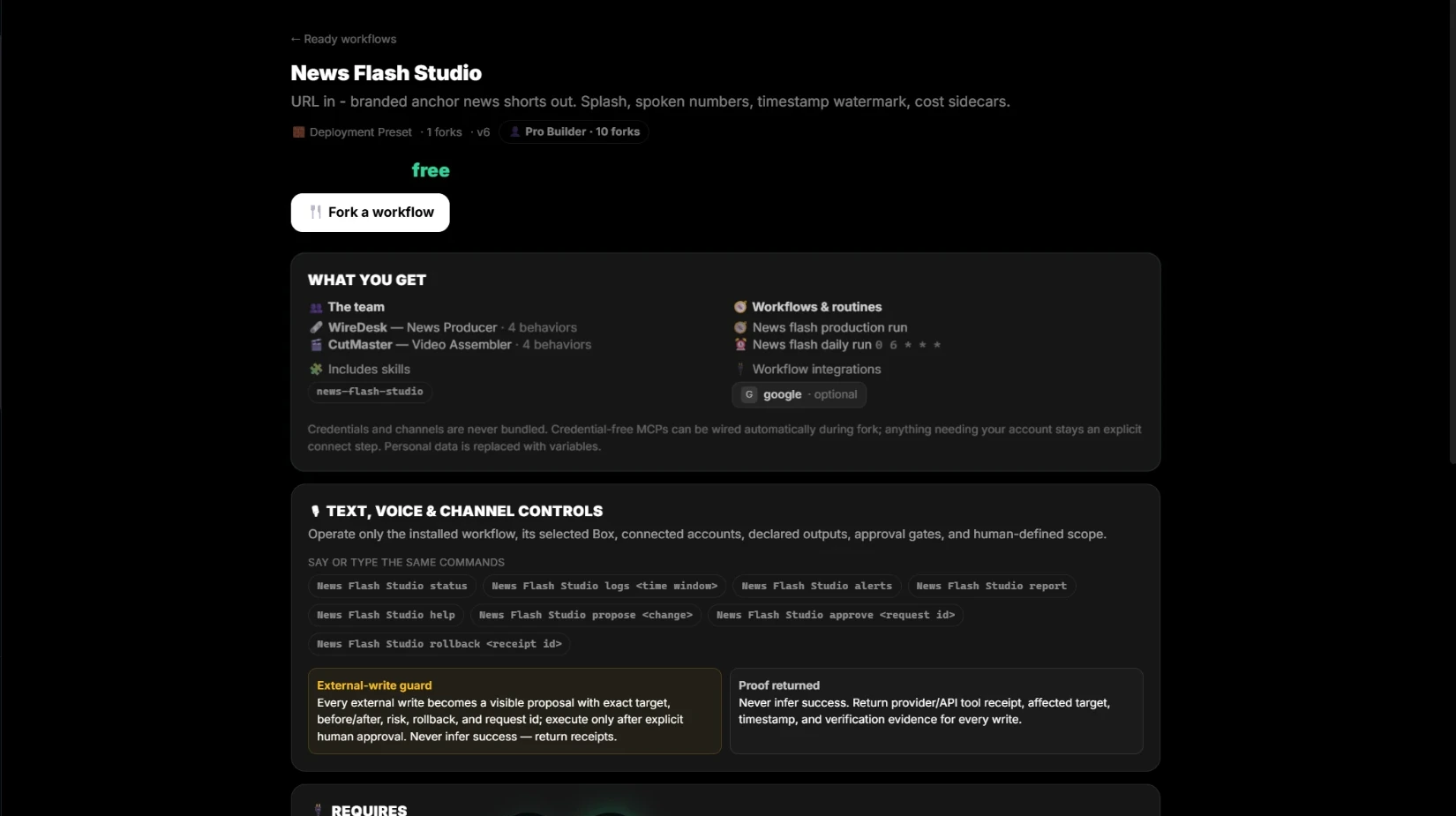
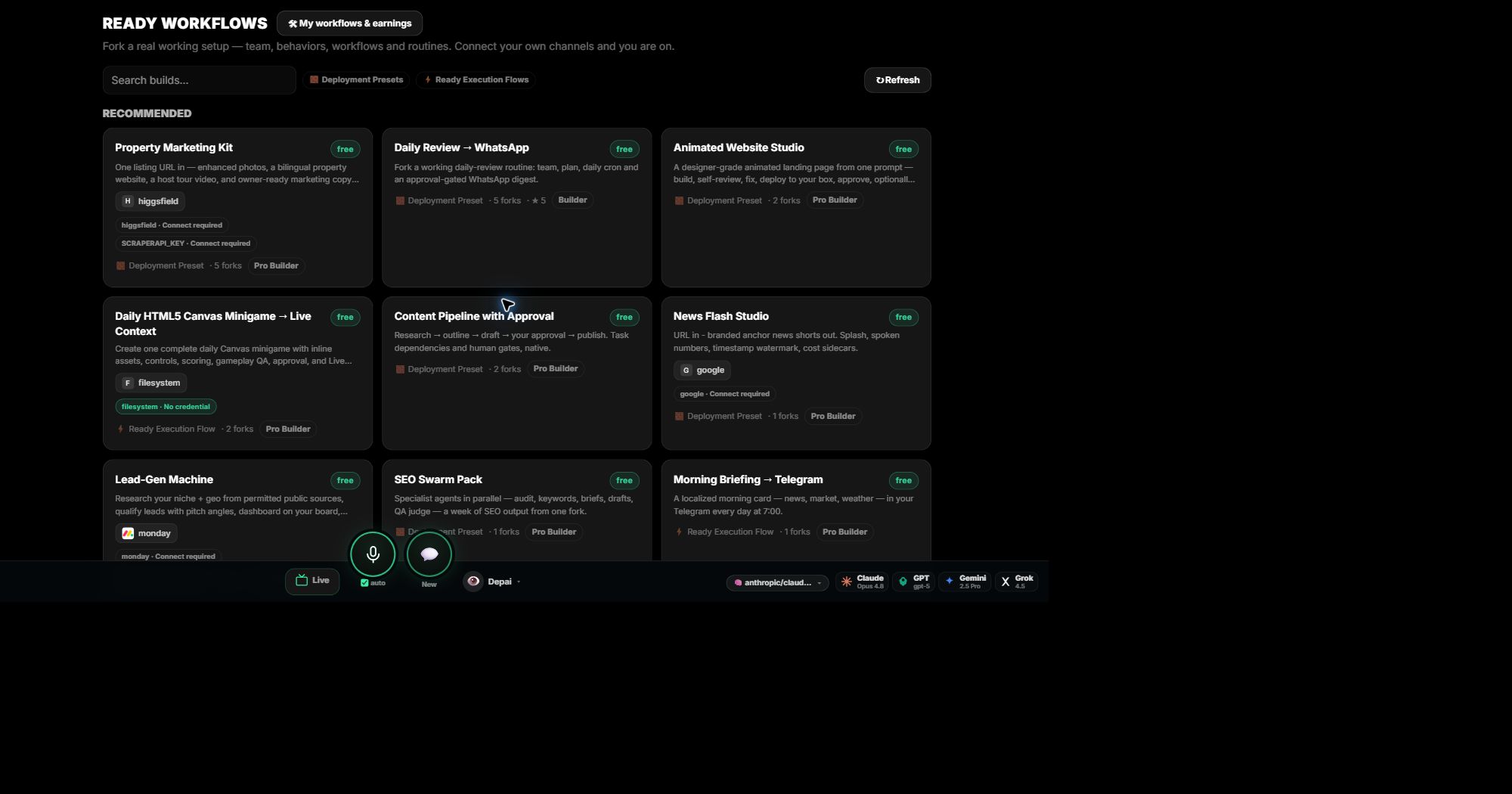
Fábrica de flujo de trabajo
Empieza con una configuración que ya funciona.
Copia una configuración real y operativa: equipo, comportamientos, habilidades, rutinas e integraciones. Cada flujo muestra exactamente qué recibes y qué necesita conectar antes de copiarlo. Tus claves y canales siguen siendo tuyos. Publica tus propios flujos para que otros los copien y obtén ingresos.
Configura tu equipo de IA.
Empieza gratis. Usa tus propias claves o créditos de dPanel.ai.