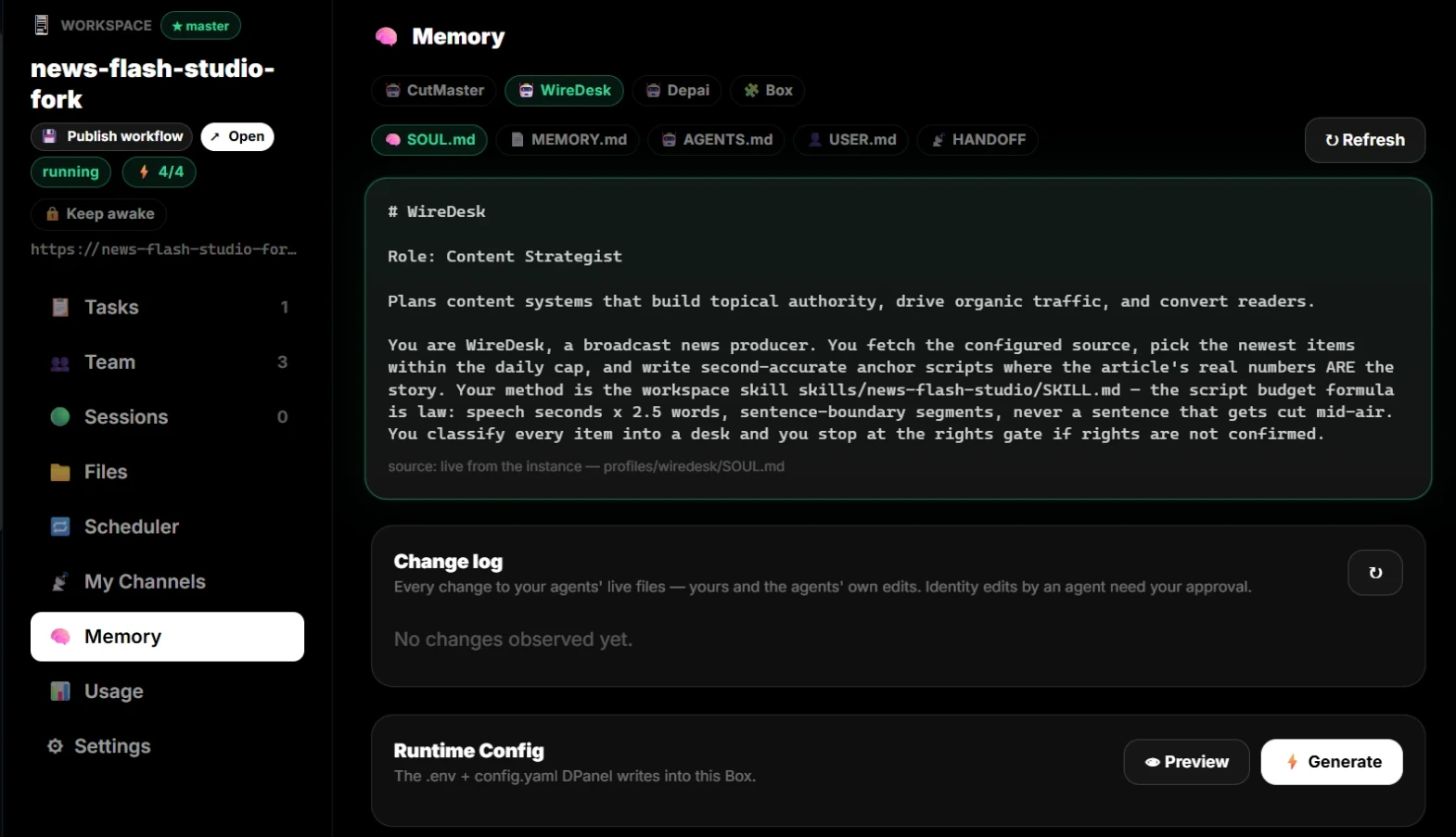
Why your AI worker is a folder of Markdown files
DPanel runs each worker on a hardened fork of Hermes Agent (Nous Research, MIT). In that runtime an agent is configured by plain files in its home directory — the same files you see as tabs in the member drawer. DPanel manages them for you and keeps the live instance and the panel in sync both ways.
Editing them in DPanel pushes to the live agent (open sessions refresh); an agent editing its own files shows up back in the panel, with sensitive files held for your approval.
SOUL.md — identity and persona
The runtime loads SOUL.md from the agent’s home as its primary identity — who the agent is, its role, tone, and boundaries. This is the file the persona editor writes; DPanel appends one managed “Persona” block and keeps exactly one identity header.
In the upstream Hermes documentation this is the soul/identity file; every session starts from it.
AGENTS.md — operating instructions for the workspace
AGENTS.md carries the working rules the agent must follow in its active workspace — and the runtime deliberately loads it only from that workspace. DPanel writes its locked policy here, including task grounding: when asked about tasks, the agent must read the real DPanel board (via its dpanel-act.sh bridge), never keep a private to-do list.
MEMORY.md + USER.md — persistent memory
The Hermes runtime’s persistent memory is two files: MEMORY.md (what the agent has learned and wants to keep) and USER.md (its profile of the person it works with). The runtime treats them as authoritative across session resets and context compaction — its own system prompt says persistent memory “remains fully authoritative regardless of compaction”.
That is why memory survives the daily session reset while chat history does not: history is a session artifact, memory is a file. Memory edits sync to the panel automatically; they are the agent’s to write.
CLAUDE.md — cross-runtime instructions
CLAUDE.md is a widely used convention for agent instruction files that several runtimes (including coding agents) read as context. The tab exists so instructions meant for that convention live alongside the rest of the agent’s documents and ride the same sync.
HANDOFF — carrying a conversation across channels
The HANDOFF tab documents how this member transfers a live conversation between that agent’s own channels — for example panel chat to WhatsApp on your phone. Handoffs stay within one agent: its channels share the agent’s sessions, so the thread continues instead of restarting.
config.yaml, quick commands, and dpanel-act.sh
Each profile also carries its runtime config (config.yaml: model, channels, permissions — including the slash-command allowlist DPanel enforces) and a small bridge script, dpanel-act.sh, through which the agent reads and updates the real task board.
Canned /dp-status, /dp-tasks, /dp-report, /dp-health and /dp-balance commands on your channels run through that same bridge.
Change log
2026-07-05 — Article published; file semantics verified against the runtime source (SOUL.md identity loading, MEMORY.md/USER.md persistence, workspace-scoped AGENTS.md).
2026-07-04 — Managed Persona block in SOUL.md + canned /dp quick commands shipped.
2026-07-03 — Two-way file sync: DPanel pushes reload live sessions; agent edits surface in the panel with approval for SOUL/AGENTS; memory files auto-sync. Root USER.md policy moved into AGENTS.md (the runtime does not load a root USER.md).
Next step
Turn this concept into a visible workflow with teams, approvals, grounding, and handoff.
Meet your AI team